
TABLE OF CONTENTS
Experience the Future of Speech Recognition Today
Try Vatis now, no credit card required.
You've got English audio that works in one market and stalls in another. It might be a podcast episode, a product walkthrough, a compliance training recording, a sales call library, or a fast-turn news clip. The usual mistake is treating German translation as a text problem when the actual job is an audio workflow problem.
That distinction matters. Good english to german translation audio isn't only about whether the sentence is technically correct. It's about whether the transcript is clean, whether the timing survives subtitle export, whether the speaker intent stays intact, and whether the result fits the use case. A dubbed explainer, a live contact center conversation, and a medical consultation recording should not go through the same pipeline.
The strongest teams make two decisions early. First, they decide how much control they need over the transcript before translation. Second, they decide whether the project is batch or live. Most disappointing results trace back to getting one of those two calls wrong.
Why German Audio Translation Matters for Global Reach
A lot of teams hit the same wall. They already have strong English audio content, but once they try to localize for German listeners, they discover that subtitles, dubbing, call analytics, and compliance all ask for different outputs. That's why english to german translation audio has become a bigger operational need, not just a marketing nice-to-have.
Germany is the largest German-speaking market, with 84.3 million speakers, and demand for English-to-German audio translation has risen alongside multilingual AI adoption. The same source notes that the 2022 release of OpenAI's Whisper model pushed English-to-German word error rates below 5% on benchmarks and reduced translation costs by up to 90% versus human translators. It also reports that by 2025, Europe accounted for 35% ($420 million) of the $1.2 billion global AI speech translation market, with multilingual accessibility rules adding pressure on digital publishers and enterprises alike, according to the LibriVoxDeEn research context.
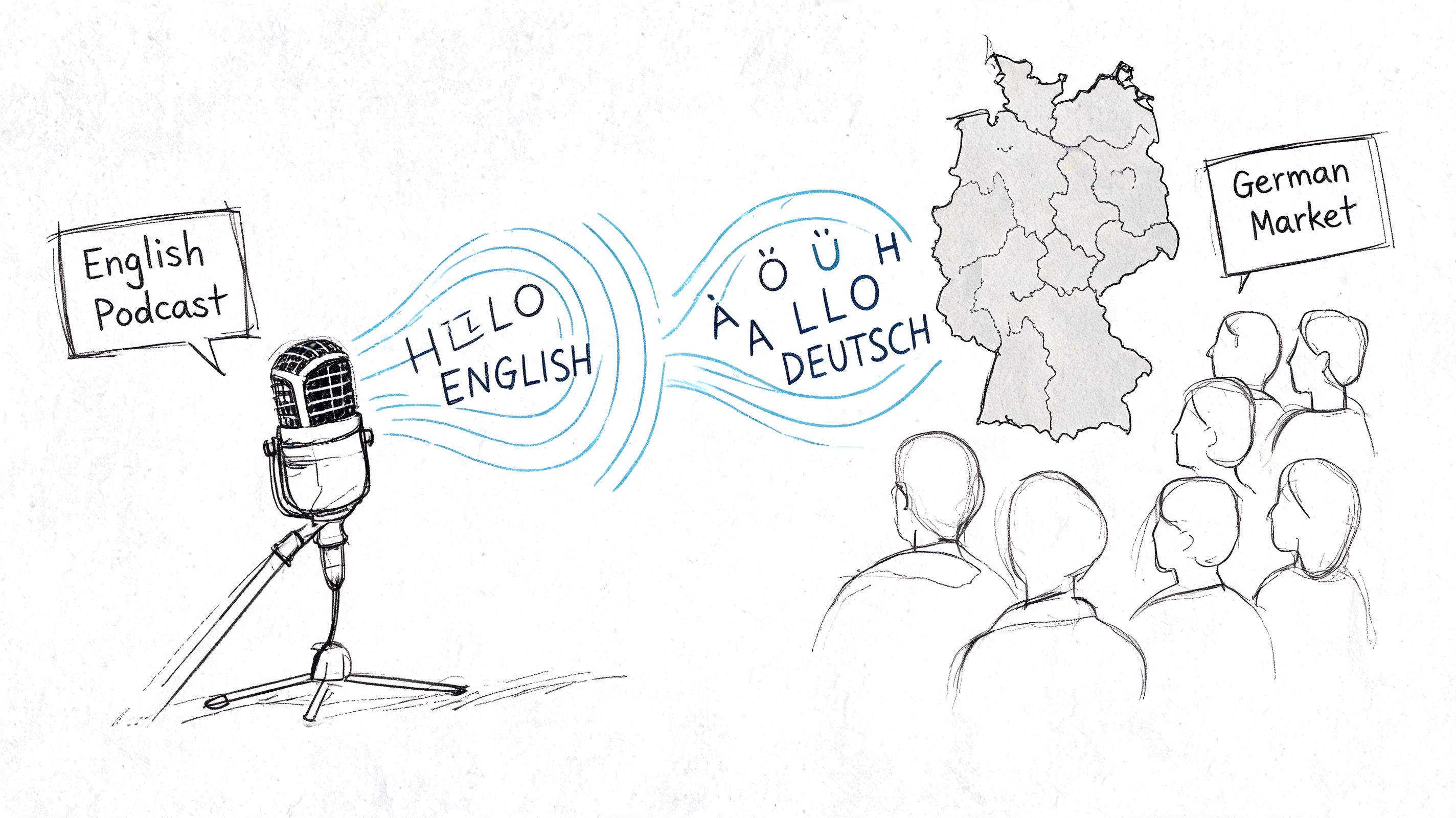
Where teams usually feel the pressure
Broadcasters need fast subtitle files. Contact center leaders want searchable conversations in German. Training teams need localized modules that don't read like machine output. Journalists need clips turned around quickly without losing names, tone, or timing.
The opportunity is broad, but so is the failure surface:
- Media teams need captions, voice tracks, and timestamps that line up with the source.
- Customer support teams care more about intent, politeness level, and accurate terminology.
- Healthcare and legal teams need reviewable transcripts before anyone trusts the translation.
- Product teams need an API-friendly process that scales across many files and workflows.
Practical rule: If your output must be edited, approved, searched, or reused later, start from transcription first. Direct speech-to-speech can sound impressive, but transcript-first workflows give you more control.
The real strategic choice
Most buyers focus on the translation engine. In practice, the more important choice is the workflow. Do you want a transcript-first process where English audio becomes English text, then German text, then optional captions or voice? Or do you want direct speech-to-speech output for speed?
For most enterprise use cases, transcript-first is easier to audit and fix. For lighter consumer use, direct voice translation can be enough. If you're exploring consumer-oriented options for spoken output, Translate AI's German voice translation app is a useful example of how teams approach voice-first language conversion.
German also raises the quality bar. Listeners notice stiffness fast. A translation can be technically understandable and still sound wrong because register, compound wording, or cultural phrasing feels off. That's why workflow design matters as much as raw model quality.
Choosing Your Audio Translation Workflow
Before you upload anything, choose the path that matches the stakes. I've seen teams overspend on full human translation for internal content, then under-review customer-facing audio where nuance actually matters. The right method depends on speed, editability, and how much error risk you can tolerate.
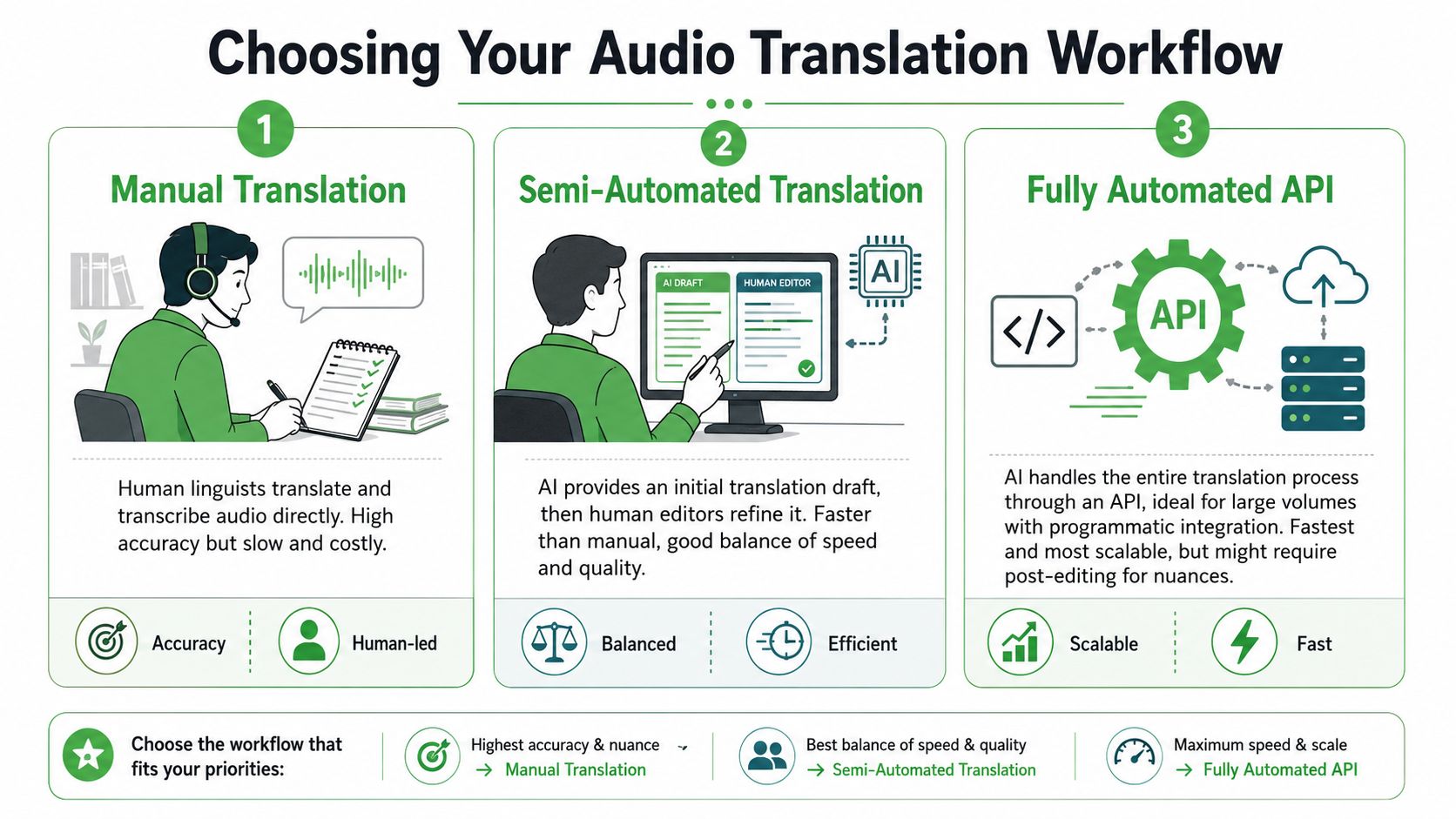
The three workflows that matter
1. Human translation from audio
This is still the safest path when the material is sensitive, highly idiomatic, or legally exposed. A human linguist listens, transcribes, translates, and often adapts the phrasing for German usage rather than mirroring English structure too closely.
The downside is obvious. It's slower, harder to scale, and expensive for large audio libraries.
2. ASR plus machine translation plus review
This is the default workflow I recommend for most professional use cases. Automatic speech recognition creates the English transcript first, then a machine translation engine produces German text, then a reviewer fixes issues that are significant.
That model is reliable for this language pair. A transcription-first NMT workflow for English-to-German can achieve BLEU scores of 35 to 45, and engines like DeepL rank top in 65% of EN-DE benchmarks. The same source notes that hybrid pipelines cut turnaround from days to minutes, while post-editing costs run at 30% to 50% of full human translation, based on Smartling's discussion of DeepL accuracy.
3. Direct speech-to-speech
This feels attractive because it skips the visible transcript layer. For some live or lightweight experiences, that speed is the point. But it reduces editability. If the German output sounds off, you have fewer handles to inspect what went wrong.
Audio Translation Method Comparison
| Method | Accuracy | Speed | Cost | Editability | Best For |
|---|---|---|---|---|---|
| Human translation | Highest control when handled by experienced linguists | Slow | High | Very high | Legal review, medical content, public campaigns with nuance-heavy scripts |
| ASR + MT + post-editing | Strong for English to German when transcript quality is good | Fast | Moderate | High | Podcasts, training, newsroom clips, contact center QA |
| Direct speech-to-speech | Good for lightweight or live experiences, but less controllable | Fastest | Varies | Low | Conversational interfaces, low-friction demos, quick previews |
What works and what breaks
The transcript-first route wins because it creates checkpoints. You can inspect speaker turns, fix names, lock terminology, and export captions cleanly. That's why teams evaluating ASR components often start with tools covered in resources like this guide to free speech-to-text APIs before building the rest of the translation chain.
The weak spots are also predictable:
- Homophones in English audio can poison the transcript before translation. “Write” and “right” are the classic example.
- German compound structures often need cleanup after MT, especially in business or product language.
- Poor source audio creates avoidable errors that no translation layer can fully rescue.
Don't judge the translation engine until you've judged the transcript. A bad transcript can make a good German model look mediocre.
If you need captions, searchable transcripts, and a clear audit trail, choose the middle path. If you only need rough cross-language comprehension in real time, speech-to-speech may be enough. Those are different jobs.
A Step-by-Step Guide Using an AI Platform
The hands-on process is less complicated than often anticipated. The trick is being disciplined about input quality and review points. When the source audio is clean and the output format is clear from the start, english to german translation audio becomes a manageable production task instead of a messy chain of exports.
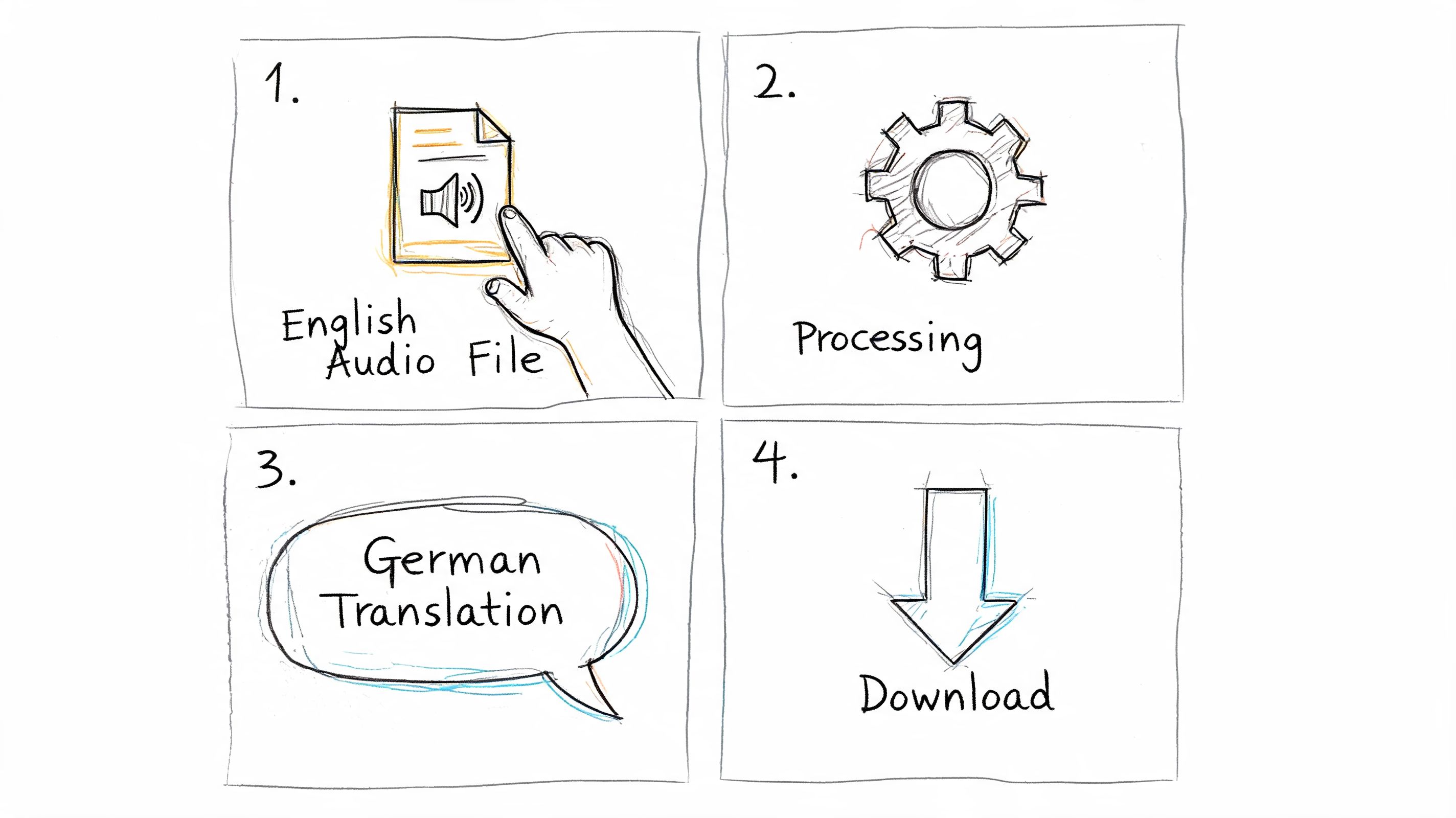
Step 1 Prepare the source audio
Start before upload. Remove obvious dead air, split very long recordings when practical, and label speakers if you already know who's talking. If the file comes from a remote recording, check whether crosstalk or background hum is going to hurt recognition.
For podcasts and webinars, I also recommend deciding early whether the final German output is for subtitles, translated transcript, or voice rendering. That decision changes how strict your line breaks, punctuation, and timing review should be.
A simple prep checklist helps:
- Check speaker overlap: Interruptions are survivable, but constant crosstalk makes diarization harder.
- Protect names and jargon: Product names, medical terms, and branded phrases should go into a glossary if your tool supports custom vocabulary.
- Match the source file to the output: A training recording may need DOCX and SRT. A newsroom clip may only need VTT and a German text draft.
Step 2 Upload and set English to German correctly
Once the file is in the platform, set the source language to English and the target to German. Don't leave this on auto-detect if the recording contains mixed-language intros, guest names, or multilingual snippets. Auto-detection can be fine for rough work, but explicit settings are safer.
A modern workflow should show you the English transcript and the German translation in a way that's easy to inspect. That's where transcript-first platforms earn their keep. You can compare the source sentence and target sentence without guessing whether the issue came from ASR or translation.
Some teams also pair transcript generation with downstream creative editing. If you're rebuilding translated scripts into polished voice content, this overview of AI-powered script and voice editing is worth scanning because it highlights the next production step after translation.
Step 3 Review the transcript before polishing the German
Significant quality gains arise from these steps. Fix obvious transcript issues first. Correct names, abbreviations, numbers spoken aloud, and any mislabeled speakers. Once that layer is stable, review the German translation for tone, terminology, and sentence flow.
Good platforms make this side-by-side editing easy. Among transcript-first tools, Vatis Tech is one example that supports 98%+ transcript accuracy, speaker diarization, timestamps, multilingual translation, and exports such as TXT, DOCX, PDF, SRT, and VTT, which is useful when the same source file needs both editorial review and publishing outputs.
Clean transcript first, polished German second. Reversing that order wastes review time.
A quick product demo can make the workflow easier to visualize:
Step 4 Export for the actual use case
Don't stop at “translation completed.” Export the format that fits the team consuming it.
- SRT or VTT for subtitles and player upload
- DOCX or PDF for editorial or legal review
- TXT for search indexing or internal QA
- Timestamped transcript for clipping, repurposing, and dubbing prep
That last step matters because audio translation usually feeds another workflow. A newsroom turns it into captions. A CX team pushes it into analytics. A training team sends it to reviewers. The more structured the export, the less cleanup everyone else does later.
Automating Translation with an API
A UI is fine for occasional files. It breaks down when you're processing call libraries, media archives, or recurring multilingual content feeds. At that point, you want the workflow to run as a service, not as a manual task.
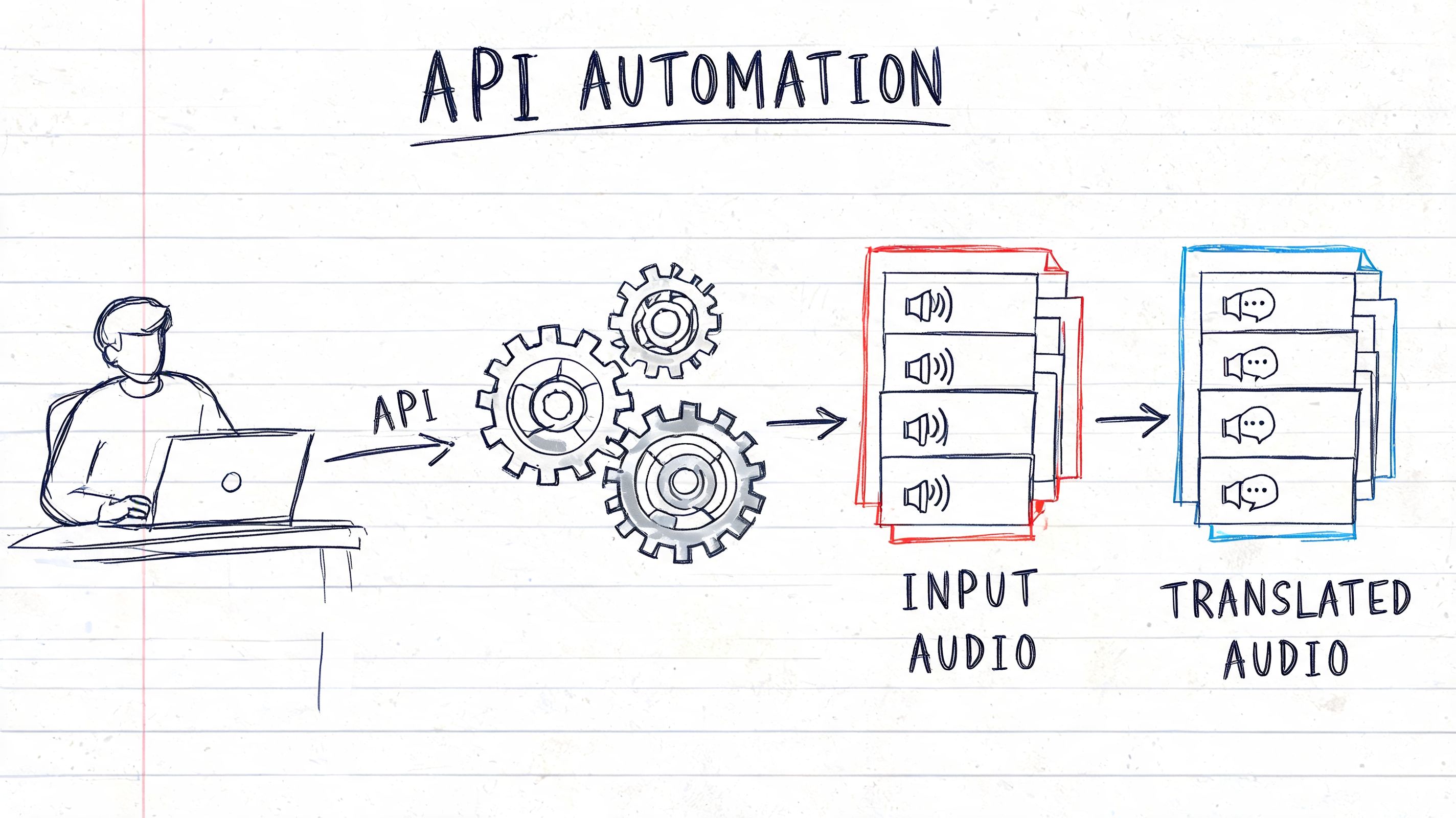
What the API should return
The useful output isn't just “German text.” It should be structured enough to support downstream systems:
- Transcript segments with timestamps
- Speaker labels if diarization is enabled
- Translated text aligned to source segments
- Metadata that helps with QA, search, and export rules
That structure lets developers build one ingestion pipeline and serve multiple teams from the same job output.
A practical automation pattern
The most common implementation looks like this:
- Send the English audio file to the API.
- Request transcription plus translation to German.
- Receive structured JSON.
- Route the JSON to a CMS, subtitle workflow, QA queue, or analytics system.
- Trigger export or review only when a rule says human intervention is needed.
Pseudo-code for the idea looks like this:
| Stage | What happens |
|---|---|
| Upload | Your app submits an audio file with source language set to English and target set to German |
| Process | The API transcribes speech, segments speakers, timestamps the text, and generates German output |
| Receive | Your system gets structured response data that can be stored, searched, or passed to review |
| Publish | You convert approved segments into subtitles, translated transcripts, or other deliverables |
If you're building this into a product or internal workflow, the key requirement is a speech stack designed for programmatic use rather than manual copy-paste. That's what APIs like the Vatis Tech Speech-to-Text API are for.
Automation pays off when your review rules are selective. You don't need a human on every file. You need a human where the content is sensitive, public-facing, or linguistically risky.
For contact center and media teams, API automation also creates consistency. Every file gets processed the same way. Every output follows the same schema. That's far easier to govern than a folder full of manually exported documents.
Verifying and Polishing Your German Translation
The easiest way to publish awkward German is to assume the model's first pass is “close enough.” For internal rough understanding, maybe it is. For customer-facing media, legal content, healthcare communication, or newsroom publishing, it usually isn't.
German exposes machine translation weaknesses quickly. The language punishes sloppy agreement, weak sentence restructuring, and wrong levels of formality. That's why verification isn't optional.
The errors worth checking first
Machine-translated German commonly stumbles on formatting and grammar details that native readers spot immediately. According to Lokalise's analysis of LLM translation quality, noun capitalization errors can appear in 18% of outputs, incorrect verb positioning in long sentences can fail in up to 22% of cases, and the formal-versus-informal distinction such as “Sie” vs. “du” is missed in 12% of unedited AI outputs. The same source notes that COMET scores for EN-DE average 0.85 to 0.92, which makes COMET a better quality signal than older metrics when you're evaluating nuanced output.
A practical review framework
Use a short review pass that follows the actual failure modes:
- Grammar first: Check noun capitalization, case endings, and verb placement in longer sentences.
- Register second: Decide whether the audience expects formal German or conversational German, then enforce it consistently.
- Terminology third: Lock medical, legal, and product-specific terms.
- Timing last: If the output goes to subtitles, check line length and subtitle timing after language fixes, not before.
One recurring trap is gendered language. German articles and inflections can make a sentence sound subtly wrong even when the meaning is mostly preserved. That problem often doesn't break comprehension, but it does damage trust. In customer support and healthcare especially, users hear that stiffness immediately.
Audio quality still affects translation quality
A surprising amount of “translation error” is source-audio error in disguise. If the recording is noisy, reviewers spend time fixing transcript damage instead of polishing German. For teams recording interviews, meetings, or remote calls, reducing noise before processing is one of the simplest gains. This guide on how to eliminate background noise for clear audio is a practical reminder that upstream cleanup improves downstream translation.
A related metric worth understanding is word error rate. If your team reviews multilingual speech workflows regularly, it helps to know how ASR quality is measured and why small transcript mistakes can cascade into larger translation problems. This explainer on what WER means in speech-to-text gives the useful baseline.
A translation can be accurate enough for search and still be wrong for publication. Those are different quality thresholds.
When human review is mandatory
You can skip full human review for low-risk internal content. You shouldn't skip it for:
- Regulated communication
- Executive or brand voice content
- Public-facing subtitles and dubbing
- Anything where politeness level changes the message
That doesn't mean AI failed. It means AI did the expensive first draft, and a human handled the final accountability layer.
Enterprise Considerations for Security and Live Audio
For enterprise teams, translation quality is only half the buying decision. The rest is security, compliance, and whether the system matches the timing demands of the use case.
That matters because audio often carries names, health information, legal discussions, customer details, and commercially sensitive conversations. The business context is large. The U.S.-EU trade volume reached €1.6 trillion in 2025, which increases the need for secure, multilingual processing across cross-border operations, as noted in this overview of English-to-German audio translation and live use cases. In that same source context, enterprise translation needs to be GDPR compliant and support PII redaction.
Batch and live are not interchangeable
Most guides blur pre-recorded translation and live translation into one category. That's a mistake. Batch processing lets you optimize for review, structure, and polish. Live translation forces hard latency compromises.
For live broadcasts and contact center calls, the same source notes that conversational flow depends on 100 to 500ms latency. That requirement changes tool choice immediately. A subtitle workflow that's perfectly acceptable for a recorded webinar may be unusable in a live support call because the delay breaks turn-taking and makes people talk over each other.
What enterprise buyers should insist on
The checklist is straightforward:
- Security controls: GDPR alignment, encryption, and PII handling should be essential.
- Deployment flexibility: Some teams need private cloud or on-premise options for sensitive workloads.
- Structured exports: TXT, DOCX, SRT, and VTT aren't minor features. They determine whether the translation fits the rest of the workflow.
- A clear live strategy: If you need streaming, ask about latency and synchronization first, not last.
If the audio contains personal data or the conversation is happening live, “good enough” translation stops being good enough very quickly.
Choose the workflow that matches the consequence of getting it wrong.
If you need a transcript-first workflow for English audio into German, Vatis Tech is worth evaluating for teams that need editable transcripts, multilingual translation, subtitle exports, API access, and enterprise controls such as PII redaction and GDPR-aligned processing. It fits best when audio translation has to plug into a real production workflow rather than end at a one-off file conversion.