
TABLE OF CONTENTS
Experience the Future of Speech Recognition Today
Try Vatis now, no credit card required.
A folder full of interviews looks manageable until you need to search it, quote it, redact it, subtitle it, and hand it to someone else by the end of the day. That’s when audio stops being media and starts being backlog.
Anyone who’s had to figure out how to transcribe audio at scale knows the core issue isn’t just turning speech into text. It’s getting from messy recordings to something accurate, readable, searchable, and safe to use. A reporter needs clean quotes fast. A contact center manager needs thousands of calls turned into usable customer insight. A legal team needs a transcript that won’t create a compliance problem later.
For years, transcription bottlenecked everything. One hour of clear audio historically took about 4 hours to transcribe manually, and that’s one reason the shift to AI has been so dramatic. The global AI transcription market was valued at $4.5 billion in 2024 and is projected to reach $19.2 billion by 2034, while AI transcription can cut costs by 70% and reduce turnaround from days to minutes, according to automated transcription market statistics from Sonix.
From Audio Chaos to Searchable Insight
The usual starting point is simple. Someone has more recordings than time.
A producer has interview rushes from a documentary shoot. A research team has dozens of stakeholder calls. A support operation has call recordings piling up every day. The useful material is in there, but until it’s transcribed, it’s trapped. You can’t skim it, search it, highlight it, or reliably route it into reporting and compliance workflows.
That’s why transcription moved from admin task to operational system. In older manual setups, teams had to choose what was worth transcribing because capacity was limited. Today, teams can afford to transcribe much more of what they collect, then decide what matters after the text exists.
Practical rule: If audio contains decisions, evidence, customer objections, or quotes you may need later, transcribe it early. Waiting usually creates a larger cleanup job.
The technology shift matters because it changed the economics of access, not just speed. Modern speech systems can produce a working draft in minutes, and that turns raw recordings into something operational. Once you understand the basics of what ASR means in transcription workflows, the rest of the process gets easier to design around.
What’s changed most in practice is expectation. Journalists now expect same-day drafts. Production teams expect speaker separation. Compliance teams expect redaction support. Developers expect APIs, not inbox-based handoffs. The transcript is no longer the final deliverable. It’s the structured input for everything that follows.
Preparing Your Audio for Peak Accuracy
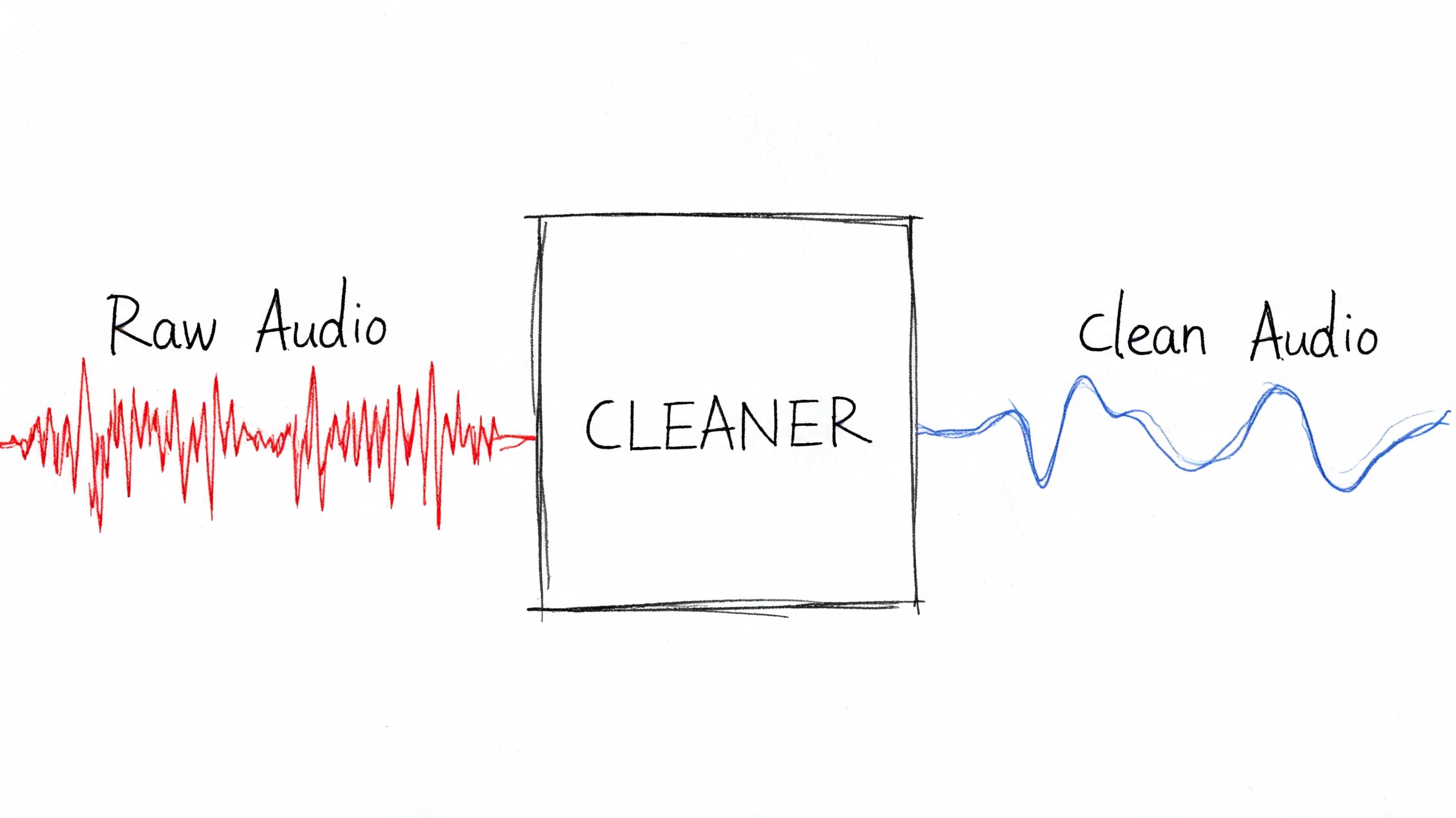
Most transcription errors start before you upload anything.
Poor input audio is responsible for 40-60% of AI transcription inaccuracies, and one benchmark cited 95% accuracy for pre-optimized audio versus 65% for raw phone-call audio, with proper recording protocols cutting post-editing time by up to 70%, according to practical guidance on difficult audio transcription.
Record for transcription, not just for listening
Audio that sounds “fine” to a human listener can still confuse speech recognition. The usual culprits are clipped peaks, room echo, speaker distance, and inconsistent levels between participants.
Use this pre-flight checklist before recording:
- Set sensible levels: Aim for peak levels between -12dB and -6dB. That gives enough signal without clipping.
- Control mic distance: A condenser mic placed roughly 6-8 inches from the speaker usually gives cleaner spoken-word capture with less room sound.
- Choose a stable format: Record in 16-bit, 44.1 kHz WAV when possible if you want a strong master file for later processing.
- Separate speakers when you can: Individual microphones beat one room mic every time for interviews, panels, and podcasts.
- Monitor with headphones: Catch hum, plosives, clothing rustle, and HVAC noise while recording, not after.
That advice applies far beyond podcasts and studios. Field researchers, paranormal investigators, and documentary crews often use compact handheld recorders in uncontrolled environments. If you need an example of the kind of kit built for real-world capture, this guide to reliable equipment for ghost hunters is useful because it points to a recorder format that also works well for spoken-word collection in difficult locations.
Clean before upload, but don’t overprocess
Basic cleanup helps. Aggressive cleanup hurts.
Use noise reduction to remove constant hiss or HVAC rumble, normalize levels so one speaker isn’t buried, and trim dead air at the start and end. But avoid heavy-handed processing that creates digital artifacts. AI systems often prefer lightly cleaned audio over audio that has been “restored” into something unnatural.
The best editing decision is often restraint. Remove the obvious problems and leave the speech intact.
If your source is in FLAC and your workflow needs a more portable format for collaboration, this guide on converting FLAC audio to MP3 is a practical reminder to keep an untouched archive copy before making delivery versions.
Match setup to the job
A journalist recording a one-on-one interview has a different target than a call center manager handling telephony audio.
For a journalist, closeness and intelligibility matter most. For a contact center, consistency matters more because thousands of files will pass through the same workflow. For internal meetings, the key is mic discipline. People need to stop talking over each other and avoid laptop speakers blasting back into the room mic.
If you can’t improve the room, improve the behavior. Ask speakers to pause before replying, say their names when joining late, and avoid side conversations. Those tiny production habits save far more editing time than is commonly realized.
Choosing Your Transcription Workflow
Once the audio is usable, the next decision, workflow, often leads organizations to either waste money or accept quality problems they didn’t need to.
Human transcription still sets the benchmark at 99%+ accuracy, but costs in the U.S. can run $1.50-$4.00 per audio minute. Leading AI tools in 2026 can match 99% accuracy on clear audio, return transcripts in minutes, and offer up to 70% cost savings, according to analysis comparing AI and human transcription performance.
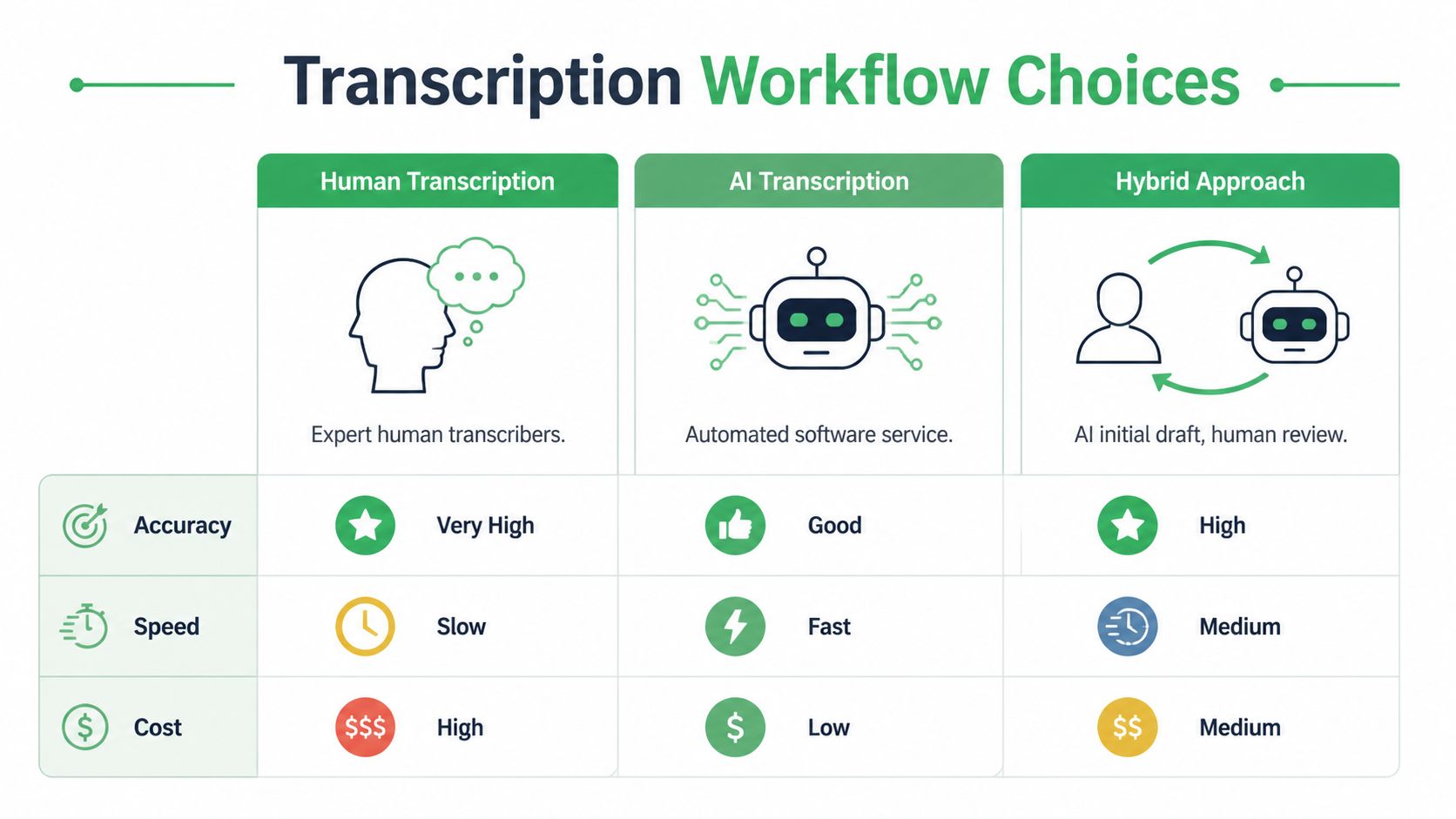
The three real options
There are only three workflows that matter in practice.
Manual transcription is still the right choice when every nuance matters and the volume is low enough to justify the time and cost. Think court-sensitive material, highly technical interviews, or archival oral histories where false starts and verbal tics matter.
Automated AI transcription works best when speed, scale, and searchability matter more than perfect first-pass polish. This is the standard choice for support operations, newsroom logging, internal meetings, and media monitoring.
Hybrid transcription is what many experienced teams settle on. AI creates the first draft. A human checks names, specialist terms, speaker labels, and sensitive passages. It’s usually the most practical quality-control model.
Transcription Method Comparison Speed, Cost, and Accuracy
| Factor | Manual Transcription | Automated (AI) Transcription | Hybrid (AI + Human) |
|---|---|---|---|
| Accuracy | Highest on difficult nuance and edge cases | Strong on clear, structured audio | High, with targeted corrections |
| Speed | Slow | Fast | Medium |
| Cost | High | Low | Medium |
| Best for | Legal nuance, sensitive interviews, verbatim archives | Call volumes, meetings, rough cuts, searchable libraries | Published interviews, regulated reviews, executive content |
| Main weakness | Doesn’t scale well | Needs review on names, jargon, overlap | Requires a defined QA step |
Which workflow fits which role
A few examples make the trade-offs clearer:
- Journalist: Use hybrid. AI gets you to a searchable draft quickly, then you verify quotes against the waveform before publication.
- Contact center manager: Use AI first. Manual transcription doesn’t scale across large call volumes, and the value usually comes from searchable patterns across many conversations.
- Healthcare administrator: Use a controlled hybrid workflow with strict review and redaction checkpoints.
- Podcast producer: Use AI for episode drafts and captions, then human review for sponsor names, guest names, and edit points.
- Developer building speech features: Use an API-based workflow from the start. Batch upload and manual handling will become a bottleneck quickly.
Don’t choose a transcription method based on ideology. Choose it based on failure tolerance. Ask what happens if the draft misses a medication name, a legal qualifier, or a customer cancellation signal.
Teams evaluating tools should also understand the difference between local open-source models and managed APIs. This comparison of open-source Whisper versus API transcription approaches is a useful frame for that decision.
Mastering Automated Transcription With AI Tools
Many stop at “upload file, get transcript.” That leaves a lot of quality on the table.
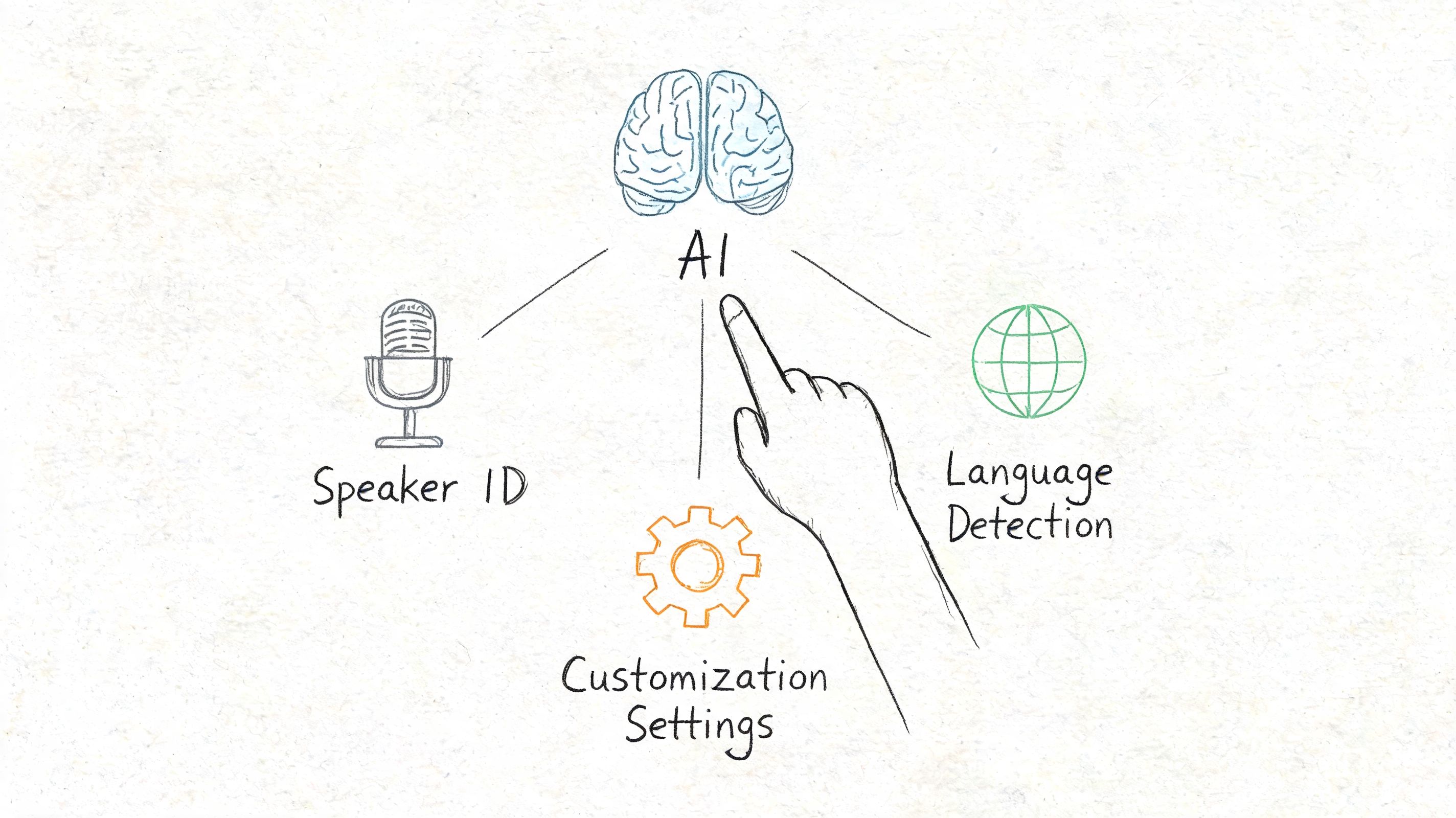
The biggest gains in automated transcription come from using the settings that match the audio you have. On noisy, multi-speaker audio, free tools may produce 20-30% WER, while enterprise APIs using features such as speaker diarization and custom models can get WER under 5%. Adding 1,000 out-of-vocabulary terms to a custom vocabulary can reduce WER by 12%, according to a technical review of AI transcription pitfalls and fixes.
Turn on speaker diarization when people interrupt each other
Diarization is the feature that separates one speaker from another. In clean one-on-one interviews, it’s mostly a convenience. In panels, newsroom roundtables, support calls, and recorded meetings, it’s essential.
Without it, you don’t just get messy transcripts. You lose context. You can’t tell who made a commitment, who objected, or who changed the subject.
Use diarization when:
- You have interviews with more than one source
- You’re processing customer-agent calls
- You need attribution for compliance or editorial review
- You expect interruptions or overlapping speech
If the platform allows it, label speakers after the first pass. “Speaker 1” and “Speaker 2” are fine for internal review, but named labels save time for publication and legal review later.
Build a custom vocabulary before you need one
This is the setting many teams ignore until the transcript is already wrong.
Custom vocabulary tells the system what words are likely to appear, especially brand names, acronyms, medication names, internal product codes, surnames, and place names. The more specialized the content, the more useful this becomes.
A newsroom might preload names of candidates, agencies, and local officials. A healthcare team might add medication names and procedure terms. A SaaS company might add product tiers, feature names, and customer abbreviations.
One practical approach is to keep a living glossary:
- Start with names that repeatedly fail.
- Add internal terminology from prior transcripts.
- Review every few weeks and remove clutter.
- Split lists by department if different teams record different content.
This is also where platform choice matters. Tools such as Otter, Descript, Trint, and API-based systems all handle setup a bit differently. In production environments, I prefer systems that let teams manage vocabularies centrally instead of training each editor to fix the same word forever. Among API-oriented options, Vatis Tech supports custom vocabulary, speaker diarization, timestamps, and entity-related workflows, which makes it suitable for teams that need both browser-based use and developer access.
Use timestamps as navigation, not decoration
Timestamps aren’t there just to make a transcript look official. They’re navigation points.
A producer uses them to jump to a quote. A legal reviewer uses them to verify wording. A support manager uses them to find the complaint section in a call. If your transcript tool lets you control timestamp frequency, choose what fits the task. Sparse timestamps are easier to read. Dense timestamps are better for editing and evidence review.
A transcript becomes much more useful when every disputed phrase can be checked against the exact moment it was spoken.
Here’s a quick walkthrough that helps if you’re teaching a team how these AI-assisted workflows behave in practice:
Read confidence signals the smart way
Confidence scores aren’t a promise that a line is correct. They’re triage.
Use them to direct human review toward likely trouble spots:
- Low-confidence names: verify against notes, guest lists, or CRM records
- Mumbled segments: replay at reduced speed
- Technical terms: compare with your glossary
- Overlapping speech: decide whether you need verbatim overlap markers or a cleaned reading copy
For teams modernizing operations more broadly, this overview of New Zealand AI for business is a useful example of how transcription fits into a wider automation stack instead of sitting alone as a one-off tool.
Post-Processing and Editing Your Transcript
A raw transcript is a draft. A finished transcript is edited text tied back to source audio.
That distinction matters. Even when the first pass is strong, the final quality comes from review decisions that machines still handle unevenly: quote fidelity, speaker identity, ambiguous phrasing, and readability.

Edit against the audio, not against your assumptions
The fastest editors don’t rewrite from scratch. They verify selectively.
Work in a tool that keeps transcript and audio linked. Click a sentence, hear the line, correct it, move on. That’s much faster than scrubbing a waveform manually in a separate application.
Focus your review in this order:
Proper nouns first
Names, companies, places, and product terms cause the most downstream damage when they’re wrong.Speaker labels next
If attribution is wrong, the transcript may be unusable for reporting or compliance even if every word is spelled correctly.Meaning-changing phrases
Negations, dates, medication details, legal qualifiers, and pricing statements deserve a second listen.Readability cleanup
Break long blocks into paragraphs, fix punctuation, and standardize obvious fillers based on the transcript’s purpose.
Decide what kind of transcript you are producing
A lot of editing confusion comes from teams mixing transcript types.
Use verbatim when pauses, repetitions, false starts, and fillers matter. That’s common in legal review, research interviews, or any work where speech pattern itself carries meaning.
Use clean read when the goal is readability. This works for article drafting, internal summaries, executive review, and most content repurposing.
If the transcript will be quoted publicly, keep a clean reading copy for writing and preserve an unpolished source-verified version for checking quotes later.
Fix the structure before exporting
A transcript can be accurate and still be annoying to use.
Before you export, clean these basics:
- Paragraphing: Split text by speaker change or topic shift
- Punctuation: Add enough to make the text readable, but don’t over-edit spoken language into formal prose
- Non-verbal markers: Decide whether to include laughter, pauses, crosstalk, or off-record notes
- House style: Standardize speaker names, capitalization, dates, and abbreviations
For journalists, I recommend keeping one master transcript and one working copy. The master stays close to the audio. The working copy gets cleaned for writing and collaboration. For contact centers, keep edits minimal and focus on searchable consistency. For legal and healthcare uses, every edit should be traceable and reviewable.
Exporting, Captioning, and Ensuring Compliance
The final step is where transcription becomes useful outside the transcription tool.
Different outputs solve different jobs. A TXT file is fine for quick search or ingestion into another system. DOCX works better when editors, lawyers, or researchers need comments and tracked changes. PDF is useful when you need a stable read-only handoff. For media, SRT and VTT are the practical formats because they carry timestamps for captions and subtitles.
Match export format to the real use case
A few common patterns work well:
- Journalism and research: DOCX for line editing, plus a plain text archive
- Video teams: SRT or VTT for subtitle workflows
- Customer operations: TXT or structured export for analysis and search
- Legal review: Editable document plus locked reference copy
- Healthcare administration: Controlled export with redaction and access limits
Captions need their own review pass. A transcript that reads well as a document may still produce awkward subtitle timing, line breaks, or speaker transitions. If the text will appear on screen, check readability at viewing speed, not just correctness on paper.
Compliance is not a finishing touch
In legal and healthcare settings, transcript quality includes security, redaction, and traceability. According to guidance on transcription compliance risks in regulated sectors, 2026 standards set less than 2% WER for legal discovery, and 22% of transcripts fail compliance audits without automated PII redaction. The same guidance notes that enterprise APIs with ISO 27001 certification and GDPR alignment are important controls in these workflows.
That changes how you should evaluate tools.
What regulated teams should check before export
Use this checklist before transcripts leave the system:
- PII redaction enabled: Names, contact details, account identifiers, and other sensitive elements need review before sharing.
- Access controls defined: Decide who can edit, export, or only view.
- Audit trail preserved: Keep a record of changes when the transcript may be used in a legal or compliance process.
- Jurisdiction considered: Storage location, retention policy, and data handling rules may matter as much as raw transcription quality.
- Caption output reviewed: Public-facing subtitles can accidentally expose sensitive data if generated from internal recordings without checks.
In regulated work, “accurate enough” isn’t a real standard. The transcript has to be accurate, secure, and appropriate for its destination.
The strongest transcription workflows don’t end at text generation. They end when the transcript is usable by the next person without creating a new risk. That might mean a subtitle file for broadcast, a searchable call record for QA, a quote-ready interview draft, or a redacted document ready for legal review. The method changes. The discipline doesn’t.
If you need a transcription workflow that goes beyond basic upload-and-download, Vatis Tech is worth evaluating. It supports audio and video transcription, editable transcripts, speaker diarization, timestamps, export formats such as TXT, DOCX, PDF, SRT, and VTT, plus API access for teams building transcription into larger media, customer operations, or compliance workflows.