
TABLE OF CONTENTS
Experience the Future of Speech Recognition Today
Try Vatis now, no credit card required.
You join a weekly meeting that should have taken half an hour. It runs long. Someone agrees to “circle back.” Another person says they'll “take a look.” By the next week, nobody remembers who owned what, one stakeholder insists the team decided something else, and the same discussion starts again from scratch.
That's usually not a meeting problem alone. It's a record problem.
Good minutes turn a vague conversation into a usable document. They tell people what was decided, what still needs input, who owns the next step, and what the organization can rely on later if questions come up. If you're responsible for taking minutes meetings, your job isn't to type fast. It's to create an accurate, neutral record that people can act on.
Why Masterful Meeting Minutes Matter More Than Ever
The challenge isn't a total lack of meetings. Instead, it's meetings that leave no durable trail. People leave with different interpretations, side notes stay trapped in one notebook, and action items vanish into chat threads.
That cost is larger than it looks. The average employee spends 392 working hours per year in meetings, equivalent to 49 full workdays, and 65% of workers say meetings prevent them from completing their actual work, according to Rev's meeting statistics roundup. When that much time is already committed, weak minutes make the expense worse.

What bad minutes look like in practice
Poor minutes usually fail in one of three ways:
- They record chatter instead of outcomes. You get a page of discussion with no final decision.
- They miss ownership. An item says “follow up with vendor,” but no person or deadline is attached.
- They aren't usable later. The file is hard to find, not versioned properly, or too vague to support compliance.
In ordinary team meetings, that creates friction. In regulated environments, it can create exposure. Boards, healthcare teams, legal staff, and public bodies often need records that stand up to scrutiny. If that's your world, it helps to review examples of secure meeting records for compliance so the minutes aren't only readable, but also defensible and properly stored.
Minutes aren't a memory aid for one attendee. They're the shared record everyone falls back on when memory conflicts.
What good minutes actually do
Strong minutes reduce repetition. They tighten follow-up. They protect the chair from re-litigating settled decisions. They also help absent stakeholders catch up without needing a second meeting just to explain the first one.
That's why skilled minute-taking is a governance function, not clerical cleanup. The person taking minutes meetings often determines whether the meeting produces momentum or just more calendar debris.
Set Yourself Up for Success Before the Clock Starts
Most minute-taking failures begin before anyone sits down. If the agenda is loose, prior decisions aren't reviewed, and your template is blank, you end up chasing the meeting instead of documenting it.
Preparation makes the live part manageable.
Review context before the meeting
Start with the previous minutes, related action logs, and the current agenda. You're looking for continuity. Which items are being reopened? Which decisions are still pending? Which names, projects, or acronyms are likely to come up?
For recurring meetings, I look for unfinished items first. That tells me where confusion is most likely and where I need sharper notes. If a committee tends to revisit the same issue over several sessions, I'll also note the exact wording of the prior decision so the current minutes stay consistent.
Align with the chair on outcomes
A good chair helps. A prepared minute-taker helps even more.
Before the meeting, confirm:
- Decision points. Which agenda items require a decision, recommendation, or motion?
- Expected attendees. You need to know who matters for approvals, quorum, or subject-matter context.
- Sensitive segments. If legal, HR, health, or customer data may be discussed, plan how that material should be summarized.
- Attachments. Reports, decks, and briefing papers should be identified so the final minutes can refer to them clearly.
Working rule: If the agenda doesn't show where decisions are expected, ask for clarification before the meeting starts.
Use a template that forces clarity
A template shouldn't be decorative. It should stop you from forgetting the fields that matter when the conversation gets messy.
| Field | Description |
|---|---|
| Meeting title | The formal name of the meeting |
| Date and time | When the meeting started and ended |
| Location or platform | Room name, office, or virtual platform |
| Chair | Person leading the meeting |
| Minute-taker | Person recording the minutes |
| Attendees | Present, absent, and invited guests if relevant |
| Agenda items | Main topics in planned order |
| Discussion summary | Concise summary of relevant context only |
| Decisions made | Final decisions, approvals, resolutions, or motions |
| Action items | Who will do what, and by when |
| Risks or blockers | Issues that may affect delivery or compliance |
| Next meeting | Date or expected timing of the next meeting |
| Attachments | Linked or appended documents referenced in the meeting |
Prepare your capture setup
If you're taking minutes meetings in person, sit where you can hear the chair clearly and see who is speaking. In virtual meetings, test audio early, open the agenda and prior minutes side by side, and keep your action log visible.
Practical setup matters more than people admit. A poor seat, weak audio, or a cluttered screen turns a simple documentation job into recovery work.
How to Capture What Matters During the Meeting
The biggest shift in professional minute-taking is this. Stop trying to capture everything. Start capturing what the organization will need later.
An action-centered format can reduce follow-up failures by 40 to 60%, and 70% of poor minutes stem from inadequate preparation and weak focus on outcomes, according to Imperial College London's report on barriers to taking great minutes.

Capture decisions, actions, and rationale
Your core job during the meeting is to identify the moments that change responsibility, status, or direction.
Write down:
- Decisions. Approved, rejected, deferred, escalated.
- Action items. Owner, task, deadline.
- Material rationale. Why the decision was taken, if that context will matter later.
- Exceptions or dissent. Only where your governance standard requires it or where the issue is materially important.
Here's the difference between weak and strong capture:
Weak note: Team discussed onboarding delays and customer complaints.
Strong note: Decision: onboarding workflow will be revised. Action: Priya to submit updated process by Friday. Reason noted: current handoff is causing customer delays.
Don't write a transcript unless you need one
Most meetings do not need verbatim minutes. Trying to create them live usually makes the record worse, not better. You miss the decision because you're still typing the debate that led to it.
Ignore:
- Filler conversation
- Repetition
- Off-topic side remarks
- Personal opinions unless formally relevant
- Long back-and-forth that doesn't affect the outcome
That doesn't mean nuance never matters. In legal, technical, or board settings, the reasoning behind a decision may be important. But even then, summarize it neutrally. Don't narrate the room.
The test is simple. If someone reads the minutes in six months, can they tell what was decided and what happens next?
Use a live shorthand that maps to the final record
I recommend a compact notation system while the meeting is live. For example:
- DEC for decision
- ACT for action
- BLK for blocker
- REF for item deferred to another meeting
- Q for a point you need clarified before finalizing
This keeps you moving. You can clean up wording after the meeting without losing structure.
If you're working in Zoom-heavy environments, a reference like this guide to Zoom meeting transcription workflows helps when you want a supporting transcript while still keeping the official minutes concise.
Ask for clarification before the meeting moves on
A skilled minute-taker speaks up when needed. Discreetly where possible, but clearly.
If ownership is vague, ask: who owns this? If timing is fuzzy, ask: is there a deadline to record? If a motion is unclear, ask the chair to restate the resolution before the discussion moves on.
That one interruption can save a week of confusion.
Turning Raw Notes into an Actionable Record
The meeting ends, but quality control starts after. Raw notes are usually incomplete, abbreviated, and shaped by the pace of the room. They need to become a clean record while the context is still fresh.
I prefer to draft minutes the same day whenever possible. Waiting too long introduces guessing, and guessing has no place in minutes.
Edit for neutrality and clarity
Start by expanding your shorthand into plain language. Keep the tone factual. Remove anything speculative, emotional, or overly interpretive.
Check every action item for three basics:
- Owner
- Task
- Timing
If one of those is missing, the item isn't finished. It's just a reminder disguised as a commitment.
Format for fast scanning
People don't read minutes the way they read reports. They scan for decisions, deadlines, and items that affect them.
A clean post-meeting draft usually benefits from:
- Short sections by agenda item
- Separate lines for decisions and actions
- Consistent naming for projects, teams, and attendees
- Attachment references where background papers informed the discussion
Practical check: If an absent stakeholder can read the minutes in a few minutes and know exactly what changed, the draft is doing its job.
Use a pre-distribution checklist
Before sending the draft, review it against a short control list:
| Check | What to confirm |
|---|---|
| Attendance | Names and roles are correct |
| Sequence | Agenda items appear in the right order |
| Decisions | Every decision is stated clearly |
| Actions | Each action has an owner and timing |
| Tone | Language is neutral and objective |
| Accuracy | Names, dates, and references are correct |
| Attachments | Supporting documents are identified or attached |
| Access | The right recipients will receive the right version |
Then distribute promptly. A late, polished draft is often less useful than a timely, accurate one.
Leverage AI to Automate and Enhance Your Minutes
Modern minute-taking works better when you separate two jobs. Let software capture the spoken record. Let the human decide what belongs in the official minutes.
That's the core value of AI in taking minutes meetings. It doesn't replace judgment. It reduces the mechanical burden so you can focus on decisions, accountability, and nuance.
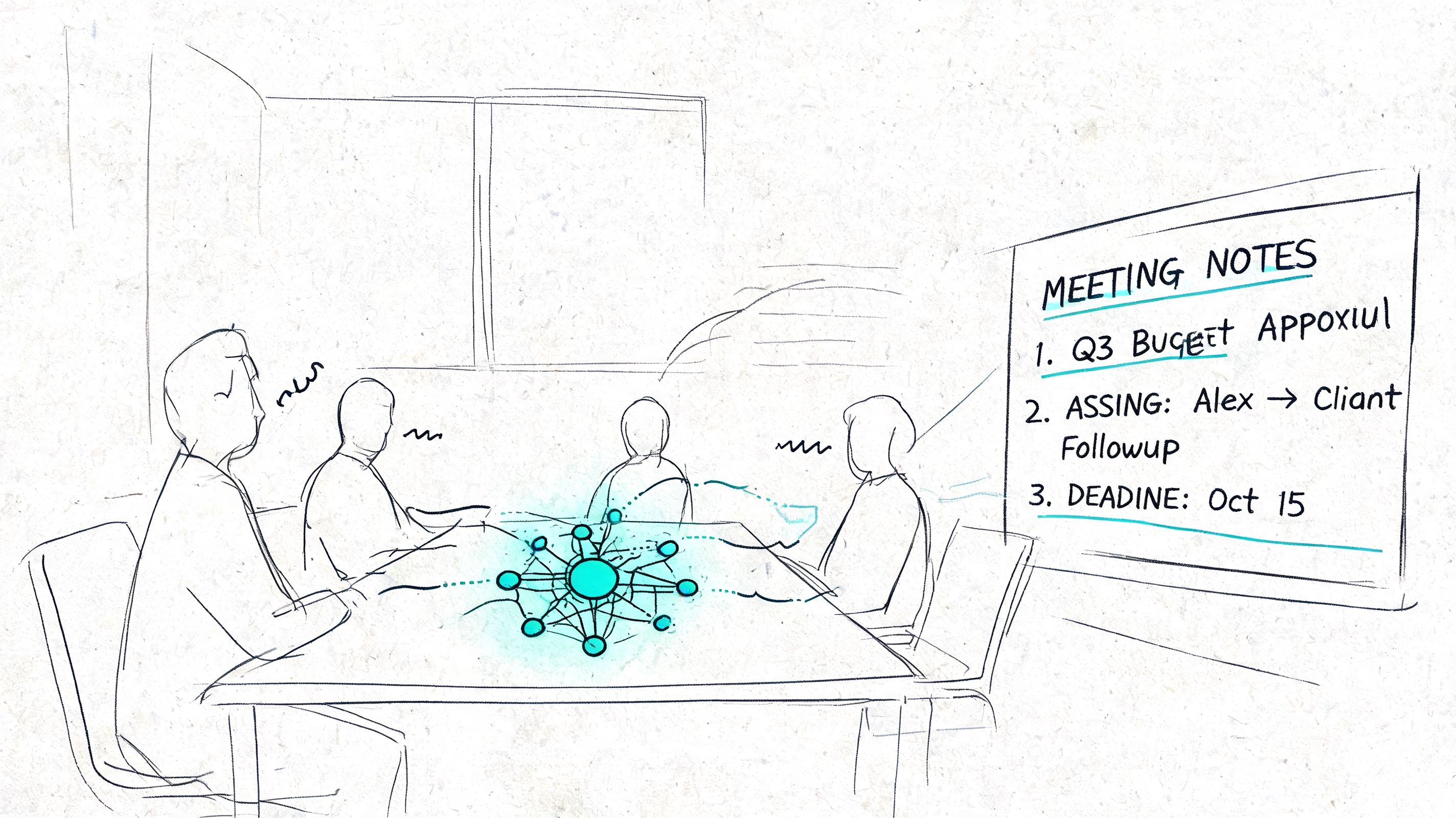
AI-augmented minute-taking can yield 92 to 98% accuracy and 75% time savings, and support for multiple languages and accents matters because manual transcription accuracy can drop to 75 to 85% for accented audio in the 40% of global meetings that involve non-native speakers, as summarized in MeetGeek's guide to effective meeting minutes.
What AI should handle and what you should still own
AI is well suited to:
- Transcribing the full conversation
- Identifying speakers
- Adding timestamps
- Producing a draft summary
- Making the record searchable
The minute-taker should still own:
- What becomes official
- How sensitive details are phrased
- Whether the summary reflects the meeting accurately
- Which items belong in the action register
That division of labor is practical. If someone speaks quickly, switches languages, uses technical jargon, or talks over another participant, a full transcript gives you a recovery layer that handwritten notes can't.
Multilingual meetings are where manual methods break down
Traditional advice on minute-taking assumes a fairly orderly English-language meeting with clear turn-taking. That's not how many real meetings work now. Regional accents, code-switching, product names, legal terms, and half-finished sentences make manual capture harder than generic guides admit.
Tools such as free AI meeting transcription and summarization are particularly useful. One option in that category is Vatis Tech, which converts audio or video into editable transcripts, supports multiple languages, and includes features such as speaker labeling, timestamps, summaries, and export formats that help turn recordings into working draft minutes.
If your recordings are noisy, it also helps to clean the source before transcription. Background hiss, echo, or uneven mic quality can degrade the output. A practical resource on ai audio cleanup for cleaner recordings is worth using before you generate transcripts for important meetings.
A short demo helps show what that workflow looks like in practice.
The better workflow
The most reliable AI-assisted process looks like this:
- Record the meeting with consent and policy alignment
- Generate a transcript
- Review speaker labels and obvious terminology issues
- Draft action-centered minutes from the transcript
- Remove irrelevant chatter and sensitive detail
- Distribute the polished record
Used this way, AI changes the minute-taker from frantic typist to informed editor.
Meeting Minutes and the Law What You Need to Know
Minutes aren't always just internal admin. In many organizations, they become part of the formal record that may be reviewed in audits, investigations, disputes, or litigation.
That changes how you should think about them. Accuracy matters. Neutrality matters. Storage and access controls matter too.
Manual minutes carry avoidable risk
In high-stakes sectors, manual minutes risk 15 to 25% factual errors, and 35% of legal teams report minute disputes in litigation, while secure AI platforms with ISO 27001 certification and PII redaction can reduce liability by providing a verifiable audit trail, as noted in this discussion of meeting-minute defensibility.
The legal problem with bad minutes usually isn't dramatic prose. It's ambiguity. If the record doesn't show what was approved, who was present, or how a sensitive matter was handled, someone else will fill in the gap later. That's rarely helpful.
What makes minutes more defensible
For legal, healthcare, government, and compliance teams, defensibility comes from process as much as wording.
That means:
- Consistent approval workflow
- Controlled access to drafts and final versions
- Clear distinction between transcript, notes, and approved minutes
- Redaction where personal or protected information appears
- Retention in a secure system with auditability
If your team also handles adjacent legal workflows, tools like the LegesGPT platform for automated contract review show the broader pattern. Legal teams increasingly want document processes that are searchable, reviewable, and traceable from first draft to final record.
Recordings help, but policy still comes first
A recording is not automatically the official record. Neither is an AI summary. The approved minutes remain the formal document unless your governance rules say otherwise.
That's why the chain matters:
| Record type | Best use |
|---|---|
| Personal notes | Temporary capture during the meeting |
| Transcript | Reference layer for verification |
| Draft minutes | Working record for review |
| Approved minutes | Official organizational record |
If meetings happen by phone or across distributed teams, documentation practices for calls matter as well. This guide on recording a phone conversation for documentation workflows is relevant when minutes depend on audio records and consent rules need to be considered carefully.
Good legal minutes don't try to sound impressive. They try to be clear, controlled, and hard to dispute.
Frequently Asked Questions About Taking Minutes
What's the difference between notes and minutes
Notes are informal and provisional. Minutes are formal and approved.
Your notes can be messy, abbreviated, and personal. Minutes should be clean, neutral, and shared as the organization's record. If someone challenges what happened in the meeting, your notes may help you draft or verify. The approved minutes are what the group relies on.
Should meeting minutes include everything that was said
Usually, no. Most meetings need a summary of outcomes, not a transcript.
Include decisions, actions, significant rationale where needed, and essential procedural details such as attendance. Leave out repetition, small talk, and emotional commentary unless your governance standard specifically requires more detail.
What if someone disagrees with the minutes after distribution
Treat corrections seriously, but don't let the document turn into a negotiation over tone or personal preference.
Check the recording, your notes, and any supporting documents. If the issue is factual, correct it. If the issue is interpretive, ask the chair to confirm the final wording. For formal bodies, document amendments through the normal approval process rather than making silent edits.
How long should minutes be kept
Retention depends on your jurisdiction, sector, and internal policy. The practical rule is simple. Don't guess.
Use your legal, records, or compliance policy to determine retention periods, access rules, and whether certain minutes require restricted handling or separate confidential appendices.
Is AI-generated meeting content enough on its own
No. AI can create a strong draft record, but a human should review it before it becomes official.
That matters even more in technical, multilingual, or sensitive meetings. The transcript helps you verify. Judgment decides what belongs in the final minutes.
If your team is drowning in recordings, rough notes, and follow-up confusion, Vatis Tech can help you turn meetings into searchable transcripts and structured draft summaries that are easier to review, refine, and circulate as professional minutes.