
TABLE OF CONTENTS
Experience the Future of Speech Recognition Today
Try Vatis now, no credit card required.
You probably landed here with one of three problems.
You’ve got a lecture, interview, meeting, voicemail, podcast clip, or customer call that needs to become text. You tried doing it by hand and realized ten minutes of audio can eat half an hour once you start pausing, rewinding, and fixing what you missed. Or you found a “free” tool, uploaded a file, and got back a transcript that looked fine until you noticed it had mangled names, merged speakers, and turned jargon into nonsense.
That’s the current state of free transcription. It’s much better than it used to be, and it’s finally usable for everyday work. But it isn’t magic. If you want to know how to transcribe audio to text online free without wasting an afternoon, the trick is choosing the right method for the job, preparing the audio properly, and knowing when free is good enough.
The End of Manual Transcription As We Know It
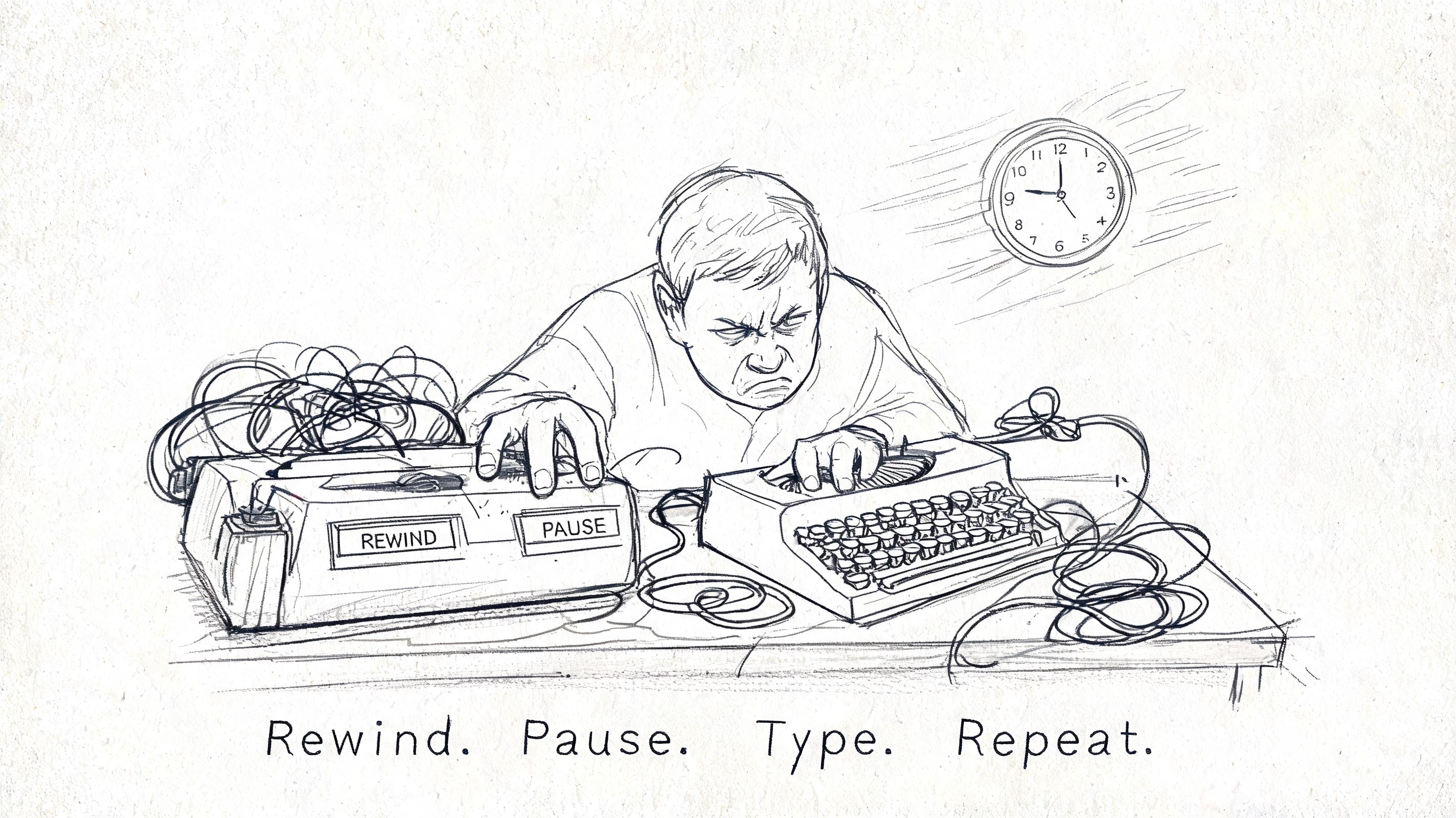
A 45 minute interview can still eat an entire afternoon if you transcribe it the old way. I have done that work. Headphones on, foot pedal or pause key in reach, replaying the same sentence three times because a name was buried under room noise. It is slow, tiring, and easy to get wrong once your attention drops.
What changed is access. Free and low-cost AI tools turned transcription from a specialist service into something students, reporters, researchers, podcasters, and small teams can do on demand. That saves real time, but it also creates a new problem. The question is no longer “Can I get this audio into text?” The question is “How much cleanup, risk, and compromise comes with the free option I pick?”
Free transcription is good enough for more projects than it was a few years ago. It is often good enough for lecture notes, rough interview drafts, meeting recaps, and first-pass subtitles. It is rarely good enough to trust blindly.
Free changed the bottleneck
The hard part used to be typing every word yourself. Now the hard part is quality control.
A free transcript can look clean at first glance and still fail where it matters. Proper nouns get mangled. Technical terms get normalized into common words. Speakers collapse into one paragraph. Timecodes may be missing. Some tools handle a quiet one-person recording well and fall apart on phone audio, crosstalk, accents, or field recordings.
That trade-off matters more than the headline promise of “free.”
Practical rule: Treat free transcription as a draft generator unless the audio is simple, low-stakes, and easy to verify.
That one rule saves hours. It also keeps you from using the wrong workflow for the job.
What experienced users check first
Start with the project, not the tool. A class lecture, a podcast interview, a legal statement, and an internal product meeting all need different things.
For casual note-taking, speed usually matters more than perfect wording. For published content, speaker labels and export options matter. For sensitive recordings, privacy matters first. In those cases, a browser uploader may be convenient, but an on-device or self-managed option is often the safer call. If you are comparing hosted services with local workflows, this guide to free speech-to-text APIs and tooling options is a useful reference point.
The key shift is practical. Manual transcription is no longer the default starting point. It is the fallback for edge cases, verification passes, and high-stakes material where every line needs a human check. For everything else, the smart move is choosing the free method that fits the recording, then budgeting time for cleanup where the tool is likely to break.
Your Toolkit for Free Online Transcription
You finish recording a 40-minute interview, drop it into the first free tool you find, and get back a transcript that misses names, merges speakers, and strips out half the punctuation. That is the moment users typically realize “free” is not one category. It is a set of trade-offs.
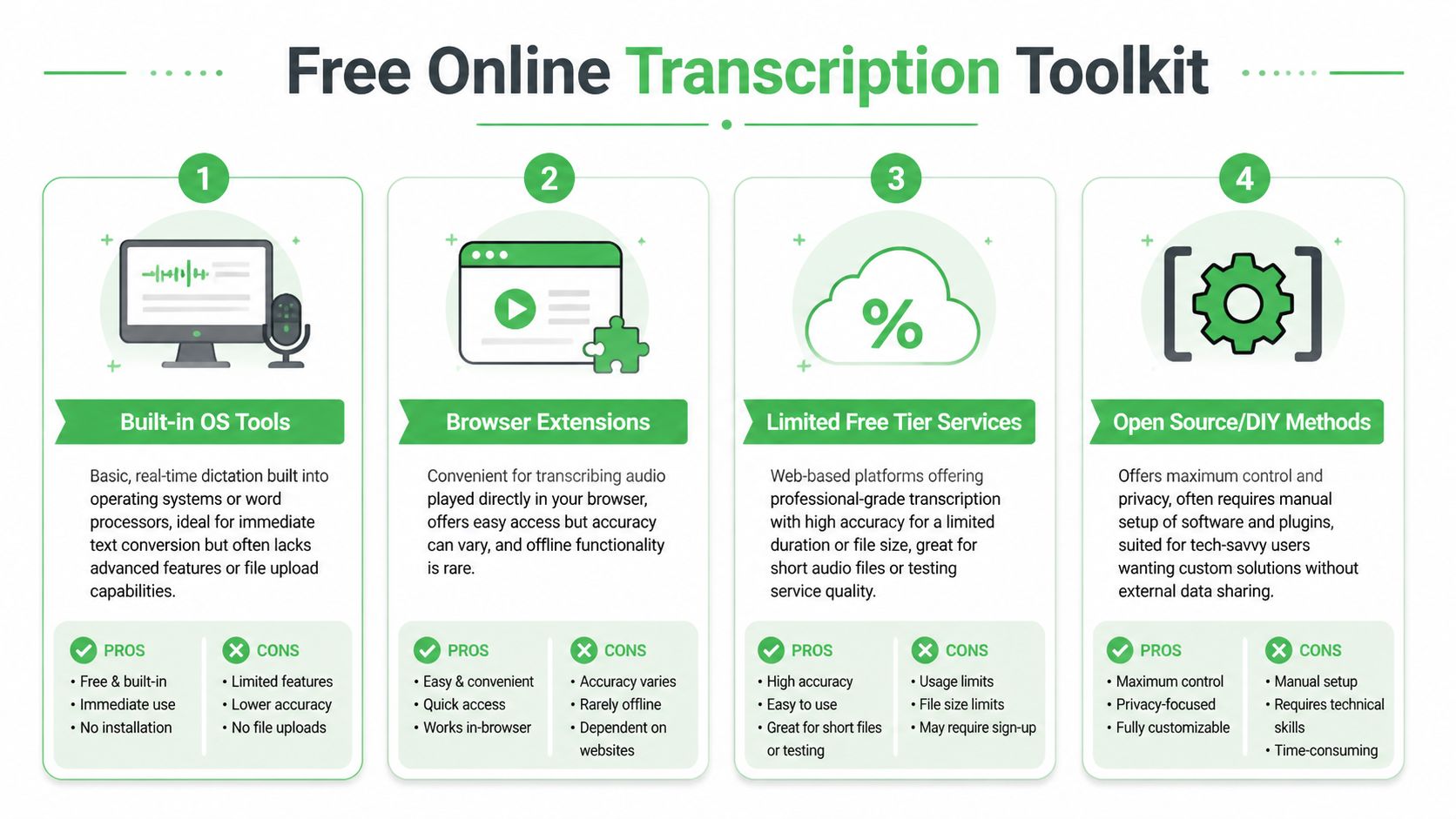
There are four workable routes, and each one fails in a different way. Some save time but give you weak editing tools. Some keep your files under your control but take setup work. Some produce a decent first draft, then hit minute caps right when the project gets serious. Choosing well at the start saves more time than chasing a perfect free option later.
The speech engines underneath these tools have improved enough that free transcription is useful for real work, not just demos. Models in the Whisper family pushed that shift. As noted earlier, broad language support and stronger baseline accuracy are no longer limited to paid software.
Comparing free transcription methods
| Method | Best For | Typical Accuracy | Privacy Considerations | Key Limitation |
|---|---|---|---|---|
| Built-in OS tools | Live dictation, personal notes, quick memos | Good when speech is clear and one person is talking | Audio may stay within your device ecosystem, but policies vary by platform | Usually not built for uploading recorded files or handling speaker separation |
| Browser extensions | Audio already playing in a browser, quick grabs from web content | Highly variable | Often depends on browser permissions and extension trustworthiness | Inconsistent results and limited editing/export features |
| Limited free tier services | Interviews, meetings, lectures, podcasts, subtitle drafts | Often strong on clean audio | You’re uploading files to a third-party service, so policy review matters | Usage caps, file limits, premium gates for better features |
| Open source or DIY methods | Privacy-sensitive work, batch jobs, advanced users | Can be excellent with good setup and clean audio | Highest control because you can keep files local | Setup takes time, and editing still needs work |
Built-in OS tools for live capture
Built-in dictation is the fastest path from speech to text if the audio is happening now.
Google Docs Voice Typing and operating system dictation tools work well for spoken notes, rough scripts, and one-speaker drafting sessions. I use them for capture, not for archival transcription. That distinction matters. They are designed to hear a person speaking into a mic, not to cleanly interpret a prerecorded file played through laptop speakers across a room.
What they do well:
- Instant capture: Start speaking and text appears in real time.
- No file handling: No exporting, converting, or uploading.
- Good for rough drafts: Useful for outlines, summaries, and personal notes.
Where they break:
- Recorded playback is unreliable: Speaker output, room echo, and microphone placement all reduce accuracy fast.
- Multiple speakers confuse the transcript: Speaker labels are rarely part of the workflow.
- Editing is bare-bones: You usually do not get timestamps, transcript review tools, or export formats built for production.
Use this method for your own voice, quick notes, and low-stakes drafting. Skip it for interviews, meetings, or anything you need to quote later.
Browser extensions for convenience
Browser extensions are tempting because they remove friction. Install one, play audio in a tab, and hope the text is good enough.
Sometimes it is. Sometimes it is a mess.
They can help when audio lives inside a browser and downloading the file is awkward or impossible. That includes web videos, embedded players, and some meeting platforms. The catch is trust and consistency. Extension quality varies a lot, and permissions can be broader than people realize.
A short test clip is mandatory here. Use a minute or two with names, interruptions, and normal pacing. If the extension cannot survive that, it will not survive the full recording. I treat extensions as convenience tools for quick capture, not as the place to create a transcript I plan to store, cite, or publish.
Limited free tier services for most people
This is the practical sweet spot for most projects.
Upload-based transcription services usually give the best balance of ease, accuracy, and usable output. They are the first free option I recommend for interviews, lectures, recorded meetings, podcast drafts, and subtitle prep. You upload a file and get back more than raw text. Good services also provide timestamps, speaker labels, search, and export formats that shorten cleanup.
The hidden limit is not just minutes. It is workflow friction. Free plans often cap file length, queue priority, export options, or advanced features such as speaker separation and translation. A tool may look generous until you try to process a long panel discussion or a week of research interviews.
A simple way to choose:
- Use a free tier service for clean recordings, standard interviews, lectures, and first-pass subtitle work.
- Use it cautiously for group calls, phone audio, and anything heavy on jargon, accents, or overlapping speech.
- Skip straight to a stronger option if the recording is sensitive, deadline-driven, or expensive to verify manually.
If you want a more technical view beyond consumer upload tools, this overview of free speech-to-text APIs and tooling options is useful for comparing API-based routes with simpler web apps.
Open source and DIY methods for control
Local and open source workflows make sense when privacy, repeatability, or batch processing matters more than convenience.
Whisper-based desktop and command-line setups are the usual starting point. They let you process files on your own machine, keep recordings out of a third-party browser uploader, and build a workflow around your own storage and formatting rules. For researchers, journalists, and teams working with confidential interviews, that control is often worth the setup time.
It is still work.
Expect to handle installs, model downloads, file conversion, and more of the cleanup yourself. The transcript quality can be strong, but the editing environment is often less polished than what you get in a hosted app. This route works best for people who process audio regularly and want a system they control end to end.
When a professional free trial makes more sense
Some jobs are too important to force through the weakest free option.
If you need reliable speaker diarization, cleaner timestamps, faster turnaround, or exports that fit a production workflow, a professional tool’s free trial can save more time than a patchwork of free tools. That includes customer research, newsroom interviews, documentary logging, and caption prep on a deadline. In those cases, “free” should mean low total effort, not zero upload cost.
One example is Vatis Tech, which offers speech-to-text with editable transcripts, speaker diarization, timestamps, summaries, and export options used for documentation and captions.
That is not an argument against free tools. It is a reminder to price your time accurately. If a free transcript needs an hour of repair for every 20 minutes of audio, it stopped being cheap.
How to Prepare Your Audio for a Flawless AI Transcript
You upload a one-hour interview, wait for the transcript, and get back a document full of wrong names, broken sentences, and speaker swaps. In my experience, that usually starts with the recording itself, not the transcription engine.
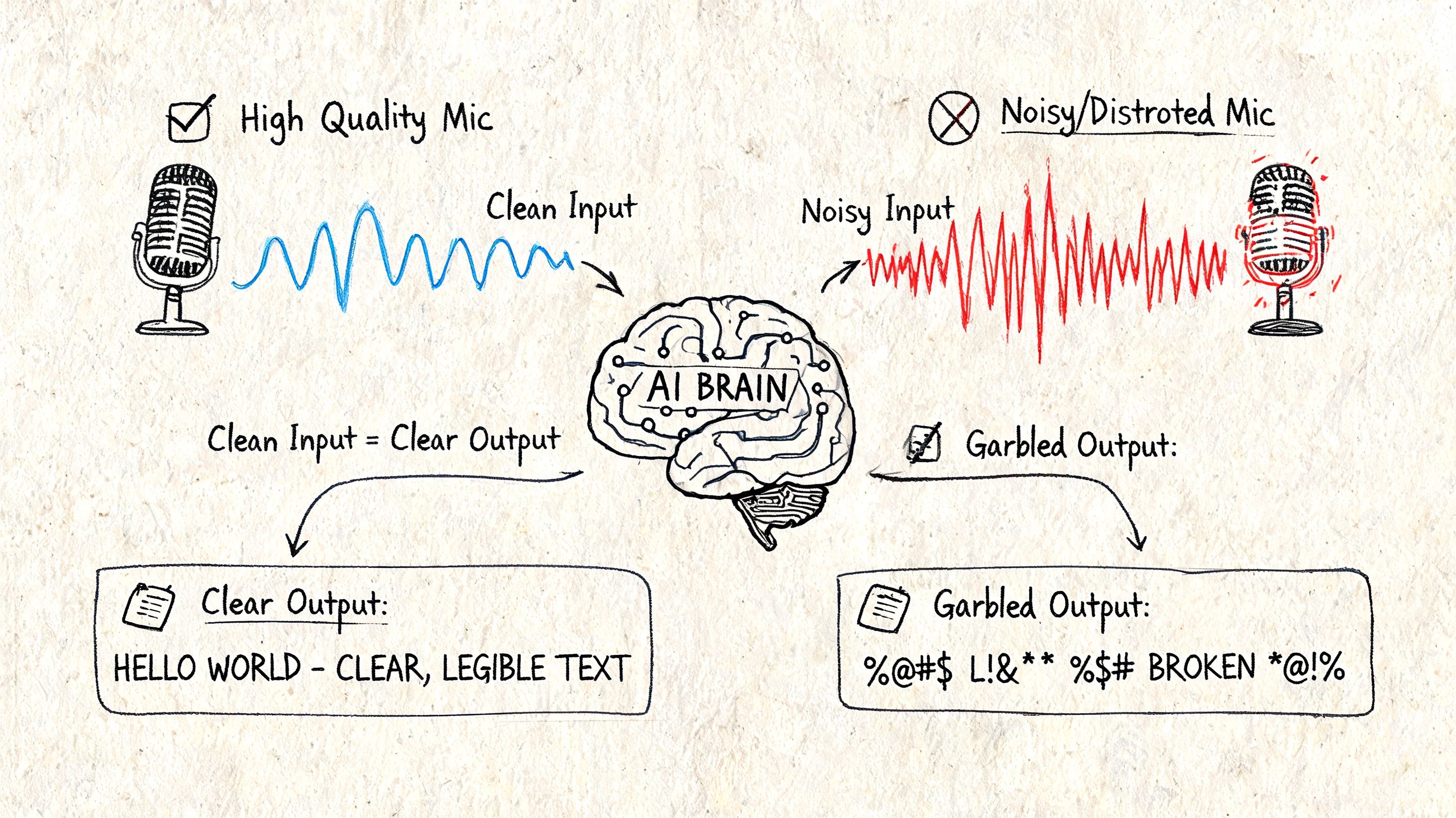
AI transcription is much better than it was a few years ago, but it still struggles with the same old problems. Distant microphones, noisy rooms, clipped audio, and people talking over each other all force the model to guess. Riverside’s transcription guidance makes the same point. High accuracy claims assume clear source audio, and cleanup time rises fast once the recording gets messy, especially with noise and poor capture settings (Riverside transcription guidance).
Start with the part you can still control
If you are recording fresh audio, mic placement matters more than almost any app setting. A basic external microphone placed close to the speaker will usually produce a better transcript than an expensive laptop recording from across the room.
Use a simple pre-recording standard:
- Keep the room small and soft: Bare walls and large spaces add echo that muddies consonants.
- Reduce steady background noise: Fans, traffic, AC rumble, and keyboard clicks all lower word accuracy.
- Set expectations with speakers: Ask them to avoid interrupting and to leave a brief pause before replying.
- Record a short test first: Ten seconds of test audio can save an hour of transcript repair.
- Avoid over-compressed files: Heavily compressed audio often sounds fine to humans but removes detail speech models need.
Video creates its own friction. If the spoken content matters more than the visuals, extracting the audio first usually gives you a simpler file to clean and upload. This guide on how to extract the sound from a video is a practical starting point.
Clean the file only enough to help recognition
Good prep is corrective, not obsessive.
For existing recordings, I usually make one cleanup pass and stop there. Normalize the volume if one speaker is much quieter than another. Trim long silence at the start, end, and between sections. Split very long files if your free tool has per-file limits or tends to fail on long uploads.
That last point matters more than people expect. Free transcription tools often break in annoying ways that paid users rarely see. Upload caps, timeout errors, and weak speaker separation show up long before you hit the limit of what the speech model can understand.
Clean input beats heroic editing later.
If the file is rough, use this order:
Identify the core problem
Listen for hiss, low volume, clipping, overlap, or room echo. Each one affects transcripts differently.Make one practical repair pass
Normalize levels, trim dead air, and export a clean copy. Reprocessing the file again and again can make speech sound artificial.Run a short sample first
Test a minute or two before uploading the full recording. If names, punctuation, or speaker turns are already falling apart, the full transcript will not improve by wishful thinking.Decide whether free is still worth it
If the sample is barely usable, you may be better off with a stronger trial tool or a local workflow instead of spending your time repairing junk output.
One small workflow improvement also helps if you plan to repurpose the transcript into readable copy. After transcription and factual correction, tools like Humanize AI Text can help smooth stiff machine phrasing, but only after the words themselves are accurate.
After you’ve done the basics, this video gives a practical walkthrough of audio handling that pairs well with the checklist above:
Match the prep to the job
This is the trade-off many free guides skip. Not every recording deserves the same amount of cleanup, and not every project needs the same transcript quality.
A solo lecture, voice memo, or personal meeting note usually needs only basic volume correction and a quick proofread. A research interview, multi-speaker call, documentary pull quote session, or compliance-sensitive discussion needs more discipline at the audio stage because transcript errors have a higher cost later.
Here is the practical decision rule I use:
- Casual notes: Good enough audio is fine. Speed matters more than polish.
- Content drafting: Clean up obvious noise, test a sample, and expect to edit names, punctuation, and formatting.
- Professional drafts or sensitive material: Reduce noise first, trim irrelevant sections, and be realistic about whether a free tool can handle the file without creating privacy or accuracy problems.
For multi-speaker recordings, messy audio creates a double penalty. The tool may mishear the words, and it may assign them to the wrong person. If separate microphones are not available, remove dead sections, hold music, and irrelevant chatter before upload. Every minute of useless audio gives the model more chances to fail in ways you then have to fix by hand.
Editing and Exporting Your Transcript Like a Pro
The first draft is where free transcription saves time. The edit is where you protect quality.
Two common mistakes occur here. They either trust the transcript too much because it “looks right” at a glance, or they over-edit every sentence as if they’re preparing a legal record. Good editing sits in the middle. Fix what changes meaning, readability, or downstream use.
What to fix first
Start with errors that spread.
If the tool got a person’s name wrong, that name may be wrong throughout the transcript. Same with a company name, product term, or recurring phrase. Use find-and-replace early so you don’t waste time correcting the same issue line by line.
Then check these high-impact areas:
- Speaker labels: Merge, split, or rename speakers before deeper editing.
- Homophones and near-misses: “Their,” “there,” and “they’re” won’t fix themselves.
- Numbers and proper nouns: AI often stumbles on them, especially in domain-heavy conversations.
- Punctuation for meaning: A badly punctuated sentence can reverse who said what to whom.
Fast transcripts are useful. Verified transcripts are dependable.
That distinction matters because there’s a known verification gap in free tools. Many emphasize speed over a clear framework for evaluating whether the output is good enough for sensitive use cases, while professional options address that need with verifiable quality and domain-specific features, as discussed in HappyScribe’s audio-to-text page.
Use the editor like an editor
A transcript editor is not just a text box.
If your tool includes click-to-play timestamps, use them aggressively. Jump to the line, listen to the phrase, fix it, move on. Don’t keep replaying from the top. If the tool supports speaker relabeling, do that early so the transcript becomes readable before you worry about polish.
A practical workflow looks like this:
| Pass | What you do | Why it matters |
|---|---|---|
| Pass 1 | Correct names, repeated jargon, and obvious recognition errors | Removes the biggest credibility problems quickly |
| Pass 2 | Fix speaker labels and punctuation | Makes the transcript readable and structurally sound |
| Pass 3 | Spot-check against audio in sensitive sections | Verifies meaning where accuracy matters most |
| Pass 4 | Export in the right format | Prevents rework later |
If you’re creating captions, use a tool built for subtitle output rather than forcing a plain transcript into caption timing. An audio to SRT converter is the right kind of workflow when your end goal is subtitle-ready timing instead of just raw text.
Export for the job, not the tool
The “best” export format depends on what comes next.
- TXT: Good for plain text archives, coding, or search indexing.
- DOCX or Word-compatible exports: Better for reports, interview analysis, and collaborative editing.
- SRT or VTT: Necessary for subtitles and captions.
- PDF: Useful when you need a locked, shareable reference copy.
- CSV: Practical if you’re sorting transcript segments or integrating with spreadsheets.
Don’t keep everything verbatim if the transcript will become published content. Once the source is captured, you may want to rewrite sections for clarity, readability, or tone. That’s especially common when turning spoken material into articles or summaries. In those cases, a cleanup pass with a tool like Humanize AI Text can help smooth out stiff, machine-shaped phrasing after you’ve already verified the underlying meaning.
Know when raw isn’t good enough
A research note can survive a typo. A compliance transcript often can’t.
If the transcript supports healthcare documentation, legal review, newsroom verification, or customer dispute resolution, treat editing as validation rather than proofreading. Don’t just fix what looks awkward. Check the sections where a wrong word changes intent, chronology, or attribution.
That’s the dividing line. Free tools are excellent at getting you to a draft. Professional workflows earn their keep when the transcript must stand up to scrutiny.
The Hidden Cost of Free Transcription Data Privacy and Security
A free transcription tool can save money and still cost too much.
The cost isn’t always on the pricing page. It can sit in the privacy policy, the retention terms, or the silence around what happens to your audio after upload. If you’re transcribing a class lecture or your own podcast notes, that risk may feel acceptable. If you’re uploading a patient interview, an internal HR conversation, or a confidential client call, it’s a different calculation.
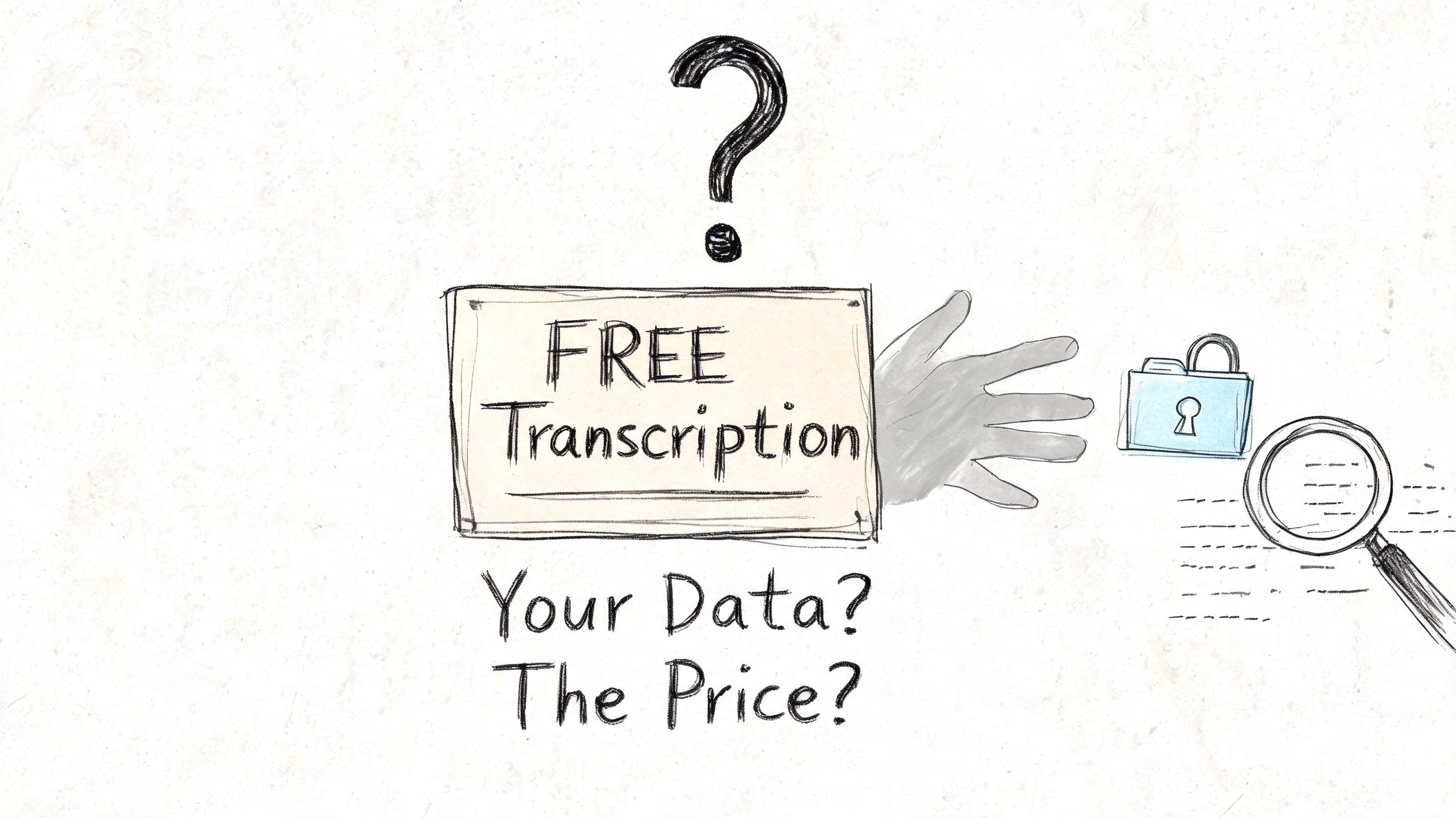
The problem is that policies are often unclear. Some services mention a 30-day retention period, others say they do not keep audio, and many don’t clearly explain data use, GDPR alignment, or security certifications. That opacity is a serious issue for healthcare and legal work, according to UniScribe’s discussion of data retention and privacy.
What to check before you upload
Don’t just scan for the word “secure.”
Read for specifics. A usable privacy review for transcription tools comes down to a few questions:
- Retention: How long do they keep the audio and transcript?
- Deletion: Can you remove files yourself, and is deletion final?
- Training use: Does the company use uploaded content to improve models?
- Access controls: Who inside the company can access your files?
- Compliance posture: Is there any clear statement about GDPR alignment, encryption, or auditability?
If those answers aren’t visible, treat that absence as part of the product. Free services can still be legitimate and useful, but vague policies shift risk to you.
Sensitive audio needs a higher bar
Here, people get casual and regret it later.
A transcript feels like text. But the uploaded file may include voices, medical details, payment references, legal strategy, personally identifiable information, or internal business discussions. Once that material leaves your environment, you’re relying on the vendor’s policies and actual practices, not just their interface.
If losing control of the recording would be a problem, don’t upload it until you understand the retention and deletion terms.
That doesn’t mean you need enterprise procurement for every memo. It means you should sort audio into two buckets:
| Audio type | Free upload risk |
|---|---|
| Personal notes, public talks, generic lectures | Usually manageable if the provider is reasonably transparent |
| Client calls, medical interviews, legal recordings, internal investigations | High enough that policy clarity becomes mandatory |
This is also why privacy-first language matters. Even outside transcription, it helps to compare how software companies talk about data handling. For example, LenguaZen's commitment to privacy is a useful benchmark for the kind of explicit privacy communication users should look for from language and AI-related tools.
Free is often fine, until it isn’t
For routine content work, many people accept the trade-off. That’s reasonable.
But teams in regulated or high-trust environments can’t rely on hope. They need predictable retention behavior, clear deletion paths, and confidence that transcribed content isn’t drifting into unknown storage or secondary use. When that standard matters, “free” stops being a feature and starts being a filtering question.
If the policy is murky, the safest answer is simple: don’t upload the file there.
Knowing When to Go Pro From Free Trials to Paid Solutions
The switch from free to paid transcription is about efficiency, accuracy, and risk.
A free tool can look good in a quick test. The problem shows up after the fifth or fifteenth file, when cleanup starts eating more time than the upload saved. I usually see the same pattern: names are wrong, speaker turns drift, timestamps need checking, and one unclear sentence forces a rewind to the source audio. At that point, the transcript is no longer cheap. The cost just moved into editing.
Signs that free tools are costing more than they save
Free transcription still makes sense for low-stakes work. It breaks down when transcript quality affects decisions, deadlines, or trust.
Watch for these pressure points:
You are correcting the same errors on every file
If each transcript needs manual fixes for jargon, names, accents, or speaker labels, the tool is giving you a rough draft, not a usable output.Turnaround time matters
For weekly interviews, production meetings, user research, or client recordings, inconsistency creates delay. One decent transcript and one messy transcript require two different editing workflows.The transcript feeds other work
If you turn transcripts into reports, articles, clips, summaries, or quotes, bad structure creates extra labor downstream.Mistakes carry real consequences
In research, legal review, compliance work, or editorial production, one wrong phrase can change the meaning of the record.You keep hitting feature limits
Free plans often cap file length, exports, speaker detection, vocabulary support, or editing controls. Those limits matter once transcription becomes routine.
A practical decision framework
Use the project, not the price tag, to choose the method.
| Project type | Free usually works when... | Paid is the better call when... |
|---|---|---|
| Personal notes or lectures | You need searchable text and can tolerate imperfect wording | You need clean formatting across many files |
| Interviews for writing or content drafting | You will verify every quote against the audio | Accurate names, speaker attribution, and nuance matter |
| Research or customer calls | You need rough thematic input | You need consistent structure, better exports, or reliable diarization |
| Sensitive or regulated recordings | Rarely a good fit unless the provider is unusually clear and suitable for the use case | Auditability, retention controls, and stronger handling standards are required |
There is also a middle option. If the tool is fast enough but the cleanup is the bottleneck, keep the AI draft and hand off verification. Teams often save money by having a person fix names, speaker turns, formatting, and pull quotes instead of paying for a full premium stack on every file. If that model fits your workflow, Hire LatAm Virtual Assistants can help with transcript cleanup and repurposing work.
What a paid tool actually buys
Paid transcription software buys predictability.
That usually means better first-pass accuracy, cleaner speaker separation, fewer export headaches, and less manual review. In professional settings, it also means clearer controls around storage, deletion, team access, and usage limits. Those details matter more than the interface once transcripts become part of operations.
Free trials still have value. Test them on your own audio, with your own speakers, accents, terminology, and recording conditions. A clean podcast recording and a messy Zoom interview do not stress a tool in the same way. If the paid result only looks slightly better, stay with free. If it removes hours of correction or lets you handle important recordings with fewer risks, paying is justified.
If free transcription is getting you close but not close enough, Vatis Tech is worth testing on a real file from your workflow. Compare draft quality, speaker handling, editing friction, and export options against the free tools you already use.