
TABLE OF CONTENTS
Experience the Future of Speech Recognition Today
Try Vatis now, no credit card required.
Your team probably has audio piling up faster than anyone can review it. Support calls sit in storage. Interviews never become searchable. Product teams want voice features, but every prototype gets stuck on accuracy, latency, or cost.
That’s where whisper enters the conversation. Developers see an open-source model with strong transcription quality. Product managers see a way to turn speech into something usable. Security and operations teams see a harder question: can this run in production without creating new risks?
Whisper matters because it lowered the barrier to high-quality automatic speech recognition. But open-source potential and enterprise readiness aren't the same thing. If you're deciding whether to prototype with whisper, self-host it at scale, or use a managed speech stack instead, you need a clear view of both the upside and the rough edges.
The New Era of Automated Transcription
A product team wants searchable customer calls. Legal wants meeting records. Support wants faster QA review. The raw material already exists in audio, but without transcription, it behaves like data trapped in a sealed box. You know it contains value. Getting that value out is slow, expensive, and often inconsistent.
For years, teams had two weak options. They could pay for manual transcription and wait. Or they could use older speech systems that performed well on clean samples, then struggled with accented speech, background noise, phone compression, or long recordings. At higher volume, cost became another engineering constraint, not just a budget line.
OpenAI’s Whisper, released in September 2022, changed the starting point for that decision. It gave developers an open-source speech model good enough to move transcription from research backlog to active product planning. That shift matters because it changed who gets to experiment. A team can now test speech features with code and infrastructure they control, instead of treating transcription as a vendor-only capability.
If the name feels familiar, one quick clarification helps. This article is about the AI speech recognition model, not the older anonymous social media app with the same name.
Why this moment feels different
Whisper made automated transcription feel less like buying a finished appliance and more like getting a strong engine. The engine is real. It can power useful products. But an engine alone does not give you a production-ready vehicle.
That distinction is where many teams get tripped up.
Whisper is attractive because it lowers the barrier to entry. You can run it locally, wire it into internal tools, and evaluate real workflows without waiting on procurement. For engineering teams, that means faster prototyping. For product managers, it means voice features become testable earlier. For security teams, local deployment creates options that hosted APIs may not.
Common early questions usually look like this:
- Can we transcribe multilingual support calls
- Can we caption a large media archive
- Can we search interviews by topic or quote
- Can we add voice input to our product without training a model from scratch
Practical rule: If speech is becoming part of your workflow, whisper is often one of the fastest serious options to test.
The harder question comes after the demo works. Can you maintain accuracy on your domain vocabulary? Can you process spikes in volume without GPU bottlenecks? Can you meet data handling requirements for sensitive recordings? Can operations teams monitor failures before users notice them?
Those are enterprise questions, and they define the gap between open-source potential and production readiness. Whisper opened that door. It did not remove the work involved in scaling, security review, compliance, observability, and accuracy tuning for real business use.
What Is Whisper and Why Does It Matter
Whisper is a general-purpose automatic speech recognition model. In plain terms, it listens to audio and produces text. It can also identify language and support speech-related tasks beyond plain transcription, which is part of why it became so widely adopted.
What makes whisper different isn’t only that it’s open-source. It’s that it was built to handle the kind of audio teams do have, not just the kind they wish they had. Think phone calls with background chatter, interviews recorded on laptops, internal meetings with overlapping voices, or field recordings with inconsistent microphones.
A simple way to think about whisper
A useful analogy is this: whisper is like training a multilingual librarian on a huge pile of audio and text from the web, then asking that librarian to turn messy speech into readable text across many contexts.
That broad exposure matters. Older speech systems often behaved like specialists trained in clean lab conditions. They could look great in a benchmark and still fail in a customer support queue.
Whisper became interesting because developers found it much more forgiving in real conditions:
- It’s multilingual. It can work across many languages instead of forcing separate pipelines for each one.
- It’s resilient. It tends to cope better with accents, noise, and uneven audio quality than brittle legacy setups.
- It’s flexible. Teams can use it through APIs, research tooling, or local deployments depending on how much control they need.
Why product teams care
For a product manager, whisper changes what’s feasible in a roadmap. Features that used to require a speech vendor evaluation, custom model work, and a long infrastructure plan can now start as a developer experiment.
A few examples make that concrete:
| Team | Question whisper helps answer |
|---|---|
| Support operations | Can we turn call recordings into searchable transcripts for QA and coaching? |
| Media teams | Can we generate draft captions fast enough for daily publishing? |
| Research teams | Can we extract themes from interviews without manual transcription first? |
| App developers | Can we add voice input without building ASR from scratch? |
Why engineers care
For developers, whisper matters because it gives direct access to a strong speech model without hiding everything behind a managed service. You can inspect outputs, control deployment choices, test prompt behavior, compare model sizes, and build your own post-processing around it.
That freedom is powerful, but it creates responsibility. Once you self-host whisper, your team owns the hard parts too:
- Infrastructure: compute, storage, concurrency, and monitoring.
- Quality control: how you measure transcript quality on your own audio.
- Security: where recordings live, who can access them, and how long they persist.
- Operational reliability: retries, fallbacks, queue handling, and incident response.
Whisper is often the best starting point for speech products because it makes experimentation cheap in time, not because it makes production easy.
That distinction is where a lot of teams get confused. They hear “open-source” and think “finished solution.” Whisper is better understood as a very strong foundation model for speech, not a complete speech platform.
How Whisper Works Under the Hood
A product team usually reaches the same moment after the first good demo. The transcript looks strong, confidence is high, and then the engineering questions start. What exactly is Whisper doing with the audio, where do quality failures come from, and how much of the final result comes from the model versus the pipeline around it?
Those questions matter because Whisper is a model, not a full production speech stack. If your team plans to self-host it, understanding the mechanics helps you predict where open-source flexibility is enough and where enterprise requirements such as accuracy controls, secure data handling, and high-throughput orchestration start to add real engineering work.
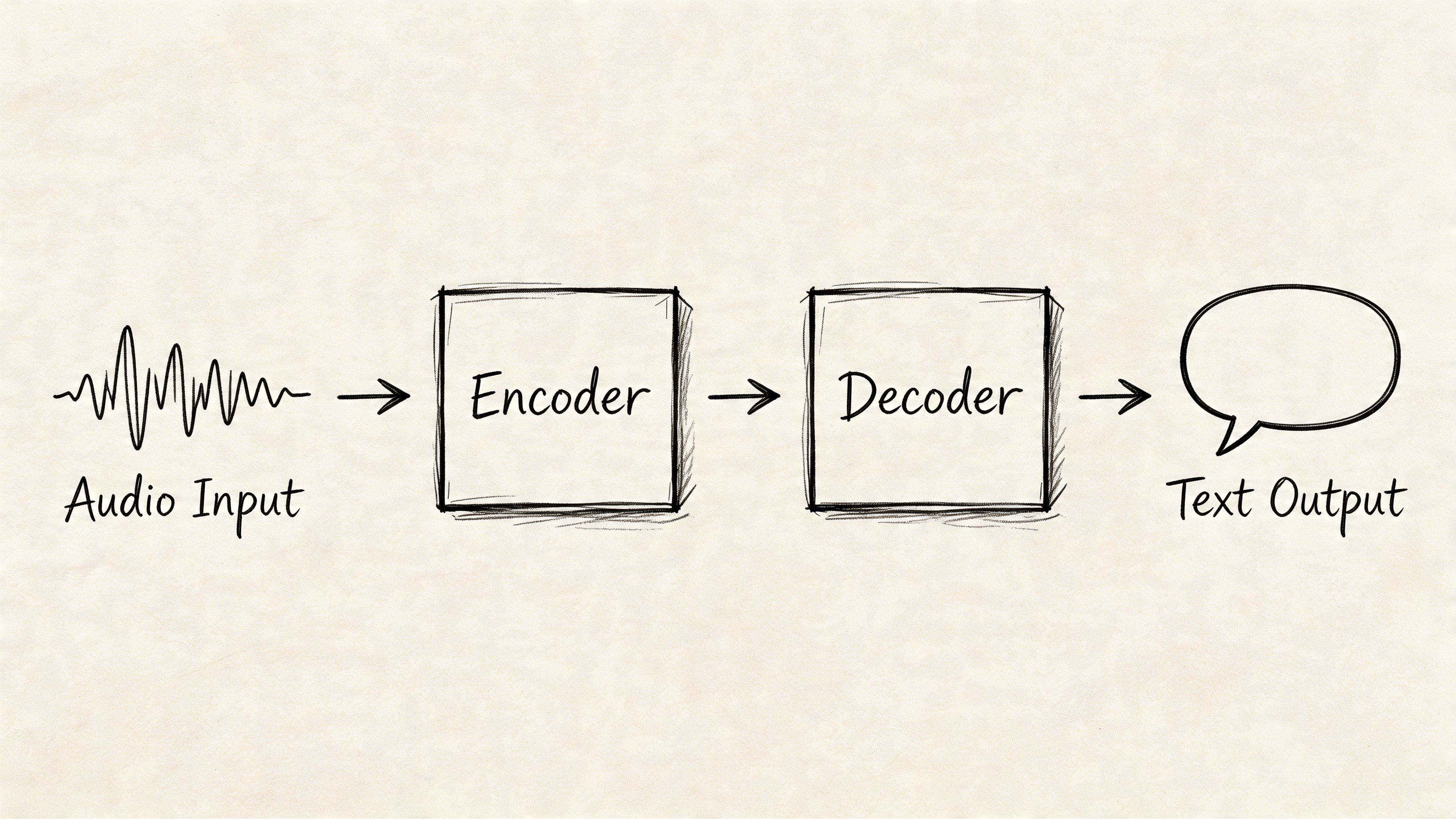
At a high level, Whisper has two core jobs. First, it converts sound into a machine-readable representation. Then it generates text from that representation.
The audio is transformed before the model ever predicts words
Whisper does not work directly from a raw waveform in the same way a human listens to sound. It first standardizes the audio and converts it into a spectrogram, which is a time-by-frequency map of the signal.
A spectrogram works like a compressed visual record of speech. Instead of tracking every tiny motion in the waveform, it highlights the frequency patterns that carry phonemes, syllables, pauses, and shifts in emphasis. That gives the model a cleaner surface to read.
If your team wants the broader context behind that preprocessing step, this guide to the automatic speech recognition pipeline explains how speech systems typically move from audio input to decoded text.
This early stage is easy to underestimate. In production, audio normalization, sampling consistency, channel handling, and chunk boundaries can influence transcript quality as much as model choice.
The encoder turns sound patterns into context-rich representations
Once Whisper has a spectrogram, the encoder processes it with a transformer architecture. The encoder’s job is not just to spot isolated sounds. It builds an internal representation of how the audio evolves over time.
That time dimension matters. Speech recognition is rarely a simple one-sound-to-one-word problem. A muffled syllable may only become clear when the model considers the words around it, the speaker’s pacing, and the shape of the phrase. The encoder is the part that gathers that context.
This is one reason Whisper performs well across many accents and recording conditions. It was trained on a very large and varied multilingual speech dataset, so the encoder has seen many different ways real speech breaks the clean assumptions found in older ASR systems.
The decoder generates text one token at a time
After the encoder has built that internal audio representation, the decoder starts writing. It predicts the transcript token by token, using both the encoded audio and the text it has already generated.
A practical comparison is autocomplete with access to the audio context. The decoder does not guess each token in isolation. It keeps asking two questions at once: what is likely in the audio, and what is likely to come next in the sentence?
That design helps Whisper produce readable output, punctuation, and language-aware text generation from the same core model. It also explains some common failure modes. If the decoder gets pulled toward a plausible phrase that fits the surrounding context, it can sometimes smooth over unclear audio instead of exposing uncertainty.
A short visual explanation helps here:
Chunking is where model architecture meets system design
Whisper processes audio in segments, not as an unlimited live stream with perfect memory. That choice keeps inference practical, but it creates handoff problems that developers need to plan for.
For example, a sentence that starts in one chunk and ends in the next may lose continuity. Speaker changes can blur. Punctuation may drift. Timestamps can also become harder to align cleanly unless your pipeline adds overlap, re-segmentation, or post-processing.
This is the point where build-versus-buy becomes more concrete. Running the open-source model is only one layer of the system. Teams that need enterprise-grade transcription usually also need batching, retries, GPU scheduling, access controls, auditability, quality measurement, and transcript cleanup around the model itself.
For engineering teams, the practical lessons are straightforward:
- Preprocessing affects quality. Audio cleanup, resampling, and segmentation change what the model can recover.
- Context handling affects long recordings. Chunk overlap and transcript stitching are system design problems, not just model problems.
- Post-processing affects usability. Raw output often needs punctuation cleanup, timestamp alignment, speaker labeling, and domain-specific correction.
- Operations affect whether Whisper is enough. A prototype can run well on open-source components while a regulated or high-volume product may need managed infrastructure and stricter controls.
Whisper’s architecture is strong because it combines modern sequence modeling with audio preprocessing that works well on messy real-world speech. The model gives teams a powerful foundation. Production performance still depends on everything you build around it.
Performance Benchmarks and Language Support
A product team usually reaches the same moment after the demo works. The transcript looks promising, everyone gets excited, and then someone asks the question that matters for budgeting and launch risk: how accurate is it on our audio, in our languages, at our scale?
The first metric to understand is Word Error Rate, or WER. It measures how many insertions, deletions, and substitutions appear in a transcript compared with a verified reference. Lower is better. If your team needs a practical primer before setting evaluation targets, this guide on what WER means in speech-to-text gives the right foundation.
Public benchmarks are useful, but narrow
Whisper performs well on clean, well-structured benchmark audio. That matters because it shows the model family is capable, not because it guarantees the same result in production.
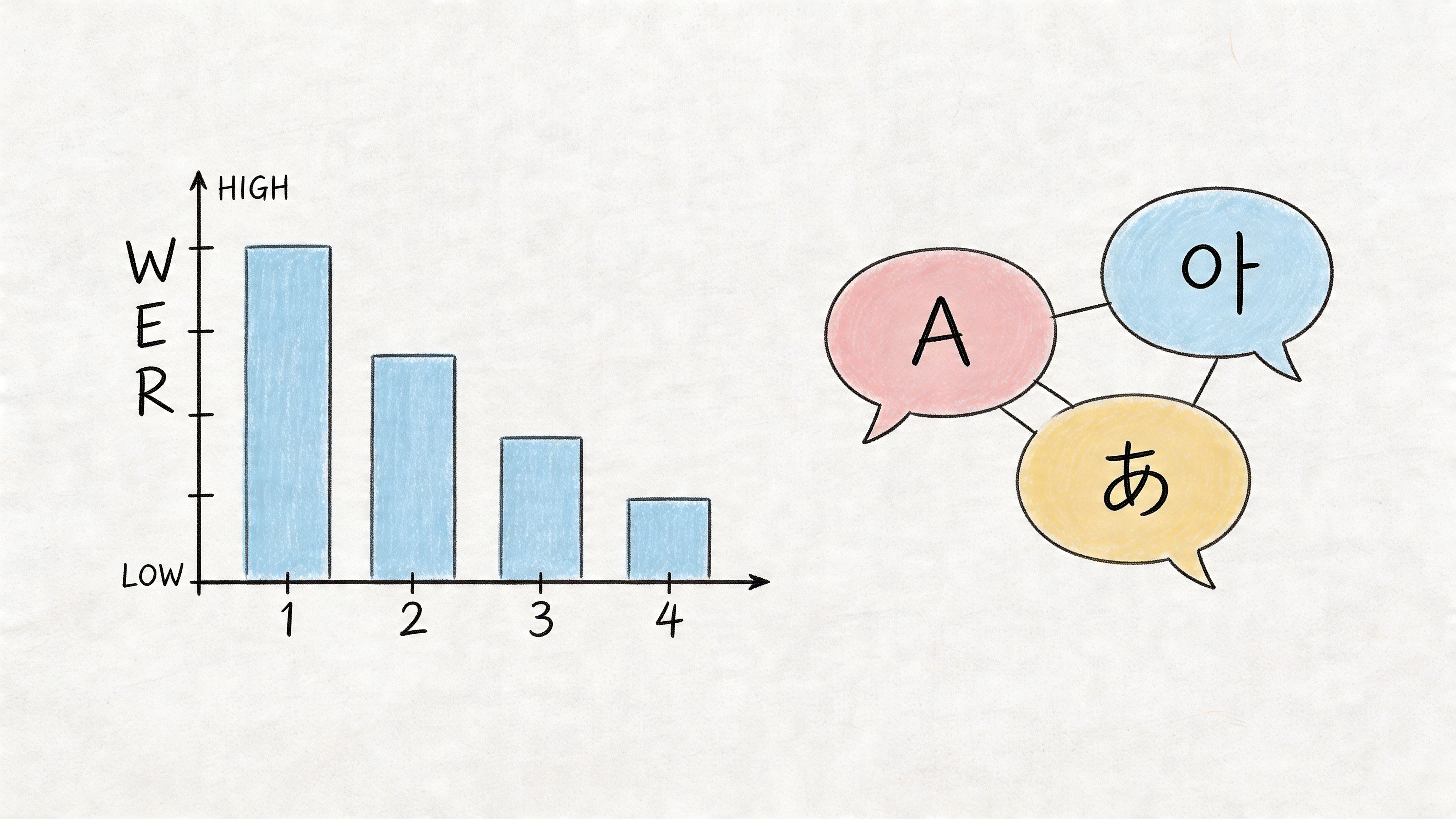
The gap between benchmark quality and business quality is where many teams misjudge effort. A clean reading dataset is like testing a self-driving car on an empty track. It confirms the system can perform under controlled conditions. It does not tell you how it will handle overlapping speech, background noise, phone compression, domain jargon, or a speaker switching between languages mid-sentence.
That distinction matters even more in enterprise settings. A consumer app can tolerate occasional transcript mistakes. A healthcare workflow, compliance archive, or customer support platform often cannot. For those teams, benchmark numbers are a starting point for evaluation, not a buying signal on their own.
Language support is broad. Language quality still has to be verified.
One reason Whisper spread quickly is its wide multilingual coverage. For teams building international products, that is a real operational advantage. You can prototype across many languages without stitching together separate model providers from day one.
That simplifies early development. It also creates a common misunderstanding.
Support for a language means the model can process it. It does not mean the output quality will be consistent across accents, recording setups, industries, or code-switched conversations. English in a quiet podcast studio is a very different problem from regional sales calls in India, customer voicemails in Brazil, or multilingual support queues in Europe.
For product managers, the planning takeaway is simple. Treat multilingual support as coverage. Treat accuracy as a separate validation project.
Model size is a system decision, not just a quality decision
Whisper comes in several model sizes, and each one changes the tradeoff between speed, cost, and accuracy. Larger models often produce better transcripts, but they also require more memory, more compute, and tighter infrastructure planning.
| If you need... | A reasonable starting point |
|---|---|
| Fast local experimentation | Start with a smaller model to reduce compute load |
| Edge or constrained hardware | Favor lighter variants and test latency first |
| Best possible transcription quality | Evaluate the largest model your infrastructure can support |
| High-volume production | Benchmark multiple sizes against your real audio, not just public demos |
The mistake is not choosing a small model or a large one. The mistake is choosing before you measure the full workflow. A larger model that improves transcript quality by a small margin may still hurt the product if it increases queue time, GPU cost, or failure rates under load. A smaller model may look efficient in a prototype and then struggle on the hardest 10 percent of calls, which are often the recordings your team cares about most.
This is the build-versus-buy pressure point. Open-source Whisper gives you control and flexibility, especially for experimentation or privacy-sensitive deployments. Enterprise requirements add a second layer of questions: Can you maintain quality across languages? Can you scale inference without latency spikes? Can you secure transcripts, log access, and monitor drift over time? If the answer is no, the model may be good enough while the surrounding system is not.
A practical evaluation plan is straightforward. Test on your own recordings. Split samples by language, accent, channel quality, and use case. Score accuracy, latency, and operating cost together. If your roadmap includes adjacent voice features such as lyric transformation, an AI song lyrics changer shows how quickly transcription quality can affect downstream generation tasks.
Whisper is strong as a foundation. Whether it is enough for production depends on the standards your business has to meet after the transcript is generated.
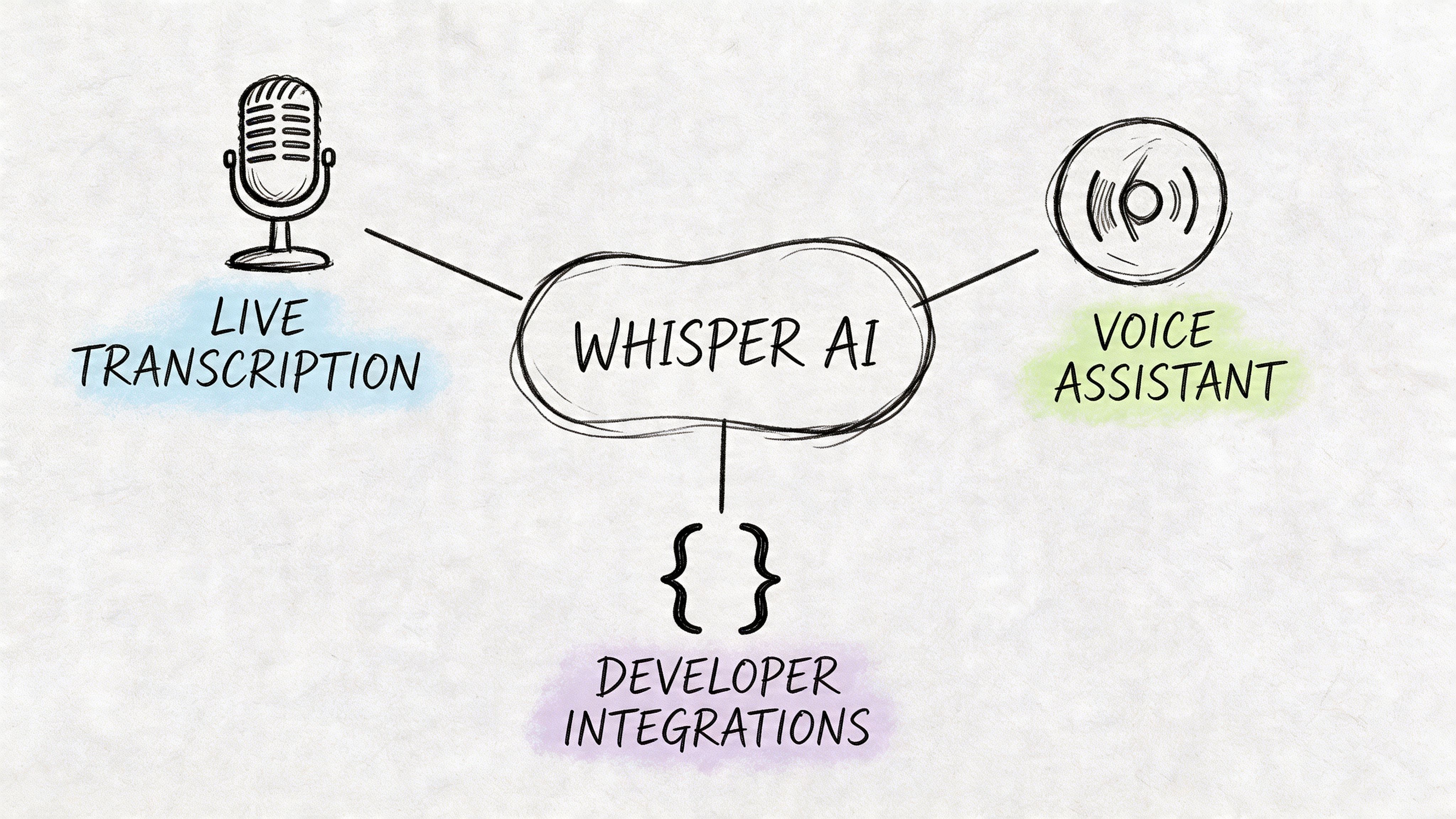
Common Use Cases and Developer Integrations
Whisper becomes easier to understand once you stop thinking about it as “an AI model” and start thinking about what a team can ship with it.
Media and publishing workflows
A media team with a large video archive usually has the same bottleneck. The content exists, but very little of it is searchable. Producers need captions. Editors need quotes. Audience teams need clips and summaries.
Whisper fits well here as a draft transcript engine. The workflow is straightforward:
- Ingest the media file.
- Run transcription on the audio track.
- Add speaker segmentation or timestamps in a downstream step.
- Send the transcript to an editor for cleanup and publishing.
For video-heavy teams, whisper often works best as the first pass, not the final publishing layer. Human review still matters when names, punctuation, and timing precision affect credibility.
Research and interview analysis
User research and market research teams often spend more time getting text out of recordings than analyzing the content itself. Whisper can shorten that path.
A common pattern looks like this:
- Interview collection: product interviews, focus groups, internal feedback sessions
- Transcription pass: convert recordings into raw text
- Post-processing: remove noise, split speakers, standardize timestamps
- Analysis: search for themes, objections, feature requests, and sentiment cues
This gets especially useful when a team wants to compare many interviews instead of relying on memory and notes.
Raw audio is hard to analyze at scale. Searchable text changes that immediately.
Voice features inside applications
For product teams, whisper is often the fastest way to test whether voice is even worth building. Maybe you want voice notes in a field app. Maybe you want spoken prompts in a productivity product. Maybe you want users to search a knowledge base by voice instead of typing.
The first implementation question is usually integration path.
Common integration options
- Use an API wrapper: Fastest route for early prototypes. Good when you want minimal setup.
- Use Hugging Face Transformers: Better when your team wants more control over preprocessing, batching, and evaluation.
- Run a local implementation such as whisper.cpp: Useful when you need local execution, edge scenarios, or tighter control over infrastructure behavior.
Each path changes what your team owns. An API wrapper reduces setup but gives less systems-level control. A local deployment gives you freedom but also shifts infrastructure work onto your team.
Contact center and customer experience workflows
Whisper is a natural fit for support and sales recordings because the transcript is only the beginning. Once the call is text, teams can review compliance language, detect objections, route quality checks, and feed analytics pipelines.
The integration usually looks like this:
| Stage | What the team does |
|---|---|
| Capture | Pull audio from telephony or recording storage |
| Transcribe | Run whisper on the audio stream or file |
| Enrich | Add diarization, timestamps, and metadata |
| Analyze | Search for themes, escalation moments, and product mentions |
| Review | Route difficult calls for human QA |
Creative and accessibility adjacent use cases
There’s also a practical crossover with creative tooling. Teams working on subtitles, lyric editing, spoken-word content, or remix workflows often need reliable transcript drafts before they can do anything else. In that context, resources like Vocuno’s AI song lyrics changer are useful because they show how text-transformation tools can sit downstream from speech recognition in a larger content workflow.
That’s the broader pattern worth noticing. Whisper rarely lives alone. It usually becomes one component in a pipeline that includes upload, segmentation, cleanup, storage, search, and editing.
Real-World Limitations and Mitigation Strategies
A demo transcript can make Whisper look production-ready in an afternoon. The first week in production usually teaches a different lesson.
Teams often discover that transcription quality is only one layer of the problem. Enterprise use cases add stricter requirements around auditability, privacy controls, throughput, failure handling, and predictable accuracy on bad audio. Whisper gives you a strong open-source base. Your team still has to build the guardrails around it.
That gap matters. A startup shipping internal meeting notes can accept occasional cleanup. A bank, hospital, or contact center cannot treat transcription as a best-effort feature.
Hallucinations on silence and weak audio
One failure mode deserves special attention. Whisper can sometimes generate text that was never spoken, especially around silence, low-volume audio, hold music, or poor channel quality. Reports from the Whisper community also note that output can smooth over speech patterns that were present in the recording, as discussed in this GitHub thread on Whisper output behavior.
In practice, this is less like a typo and more like a faulty sensor reading. If a thermometer is off by one degree, you may still trust the trend. If it occasionally invents a temperature that never existed, you need a validation layer before anyone acts on the result.
The business impact depends on context. A fabricated phrase in rough subtitle drafts is mostly a cleanup issue. The same behavior in legal review, compliance monitoring, or clinical documentation creates risk because reviewers may assume the transcript is a faithful record.
What helps
- Run voice activity detection before transcription. Removing dead air and long pauses reduces opportunities for invented text.
- Score and route suspicious segments. Low-confidence regions, sudden text bursts after silence, and unusually repetitive phrases should trigger review.
- Keep humans in the loop for high-risk workflows. Compliance, healthcare, legal, and regulated support operations need approval steps.
- Benchmark on failure cases, not showcase clips. Quiet calls, mobile recordings, crosstalk, and packet loss reveal deployment risk much faster than clean samples.
Missing dysfluencies and over-clean transcripts
Whisper often behaves like an editor. It tends to produce readable text even when the speaker sounded hesitant, interrupted, or uncertain.
That is useful for search, summaries, and documentation. It becomes a problem when the way something was said carries meaning. Research teams may care about pauses and repairs. Quality teams may want to detect frustration or confusion. Conversation analytics can lose signal if "uh," restarts, and broken phrasing disappear from the transcript.
If your downstream system depends on delivery, hesitation, or exact wording, a polished transcript can hide the evidence you wanted to measure.
Mitigation options
A practical response usually combines product design and evaluation discipline:
- Test verbatim requirements early. Decide whether readability or fidelity matters more before you build analytics on top.
- Store transcript-to-audio references. Review tools should let analysts jump to the source audio when wording looks suspicious.
- Tune post-processing carefully. Cleanup rules that improve readability can weaken sentiment, compliance, or behavioral analysis.
- Assess build-versus-buy tradeoffs for strict transcript fidelity. If your team needs stronger controls, support, and operational guarantees, this comparison of open-source Whisper and enterprise speech-to-text APIs is a useful reference.
Chunk boundaries and long-form recordings
Long recordings introduce a different class of issues. Whisper processes audio in segments, which helps with scale, but segmentation can break sentence flow, punctuation, and local context near chunk boundaries.
It is like scanning a long paper through a copier that cuts each page into strips, then reassembles them. Most of the words survive. Some sentence structure does not.
This shows up in podcasts, hearings, webinars, interviews, and multi-hour support calls. The transcript may look acceptable at a glance while still carrying subtle stitching errors that make review harder and downstream extraction less reliable.
A practical long-form checklist
- Segment with overlap. Small overlaps help preserve continuity across boundaries.
- Merge segments with rules, not simple concatenation. Timestamp-aware stitching reduces duplicate words and broken sentences.
- Add punctuation and formatting cleanup after ASR. Publishing and document workflows benefit from a second pass.
- Audit the start and end of each chunk. Boundary regions are where context loss appears first.
Low-resource languages, accents, and domain terms
Whisper is multilingual, but multilingual does not mean uniformly reliable. Accuracy can vary by language, accent, recording setup, speaking rate, and specialized vocabulary.
Enterprise teams usually feel this first in named entities. Product names, medication names, account identifiers, legal references, and internal acronyms are exactly the tokens that downstream systems care about most. A transcript can look broadly readable while still failing on the fields your workflow depends on.
The mitigation here is methodical evaluation, not optimism.
| Risk area | Best response |
|---|---|
| Rare terminology | Add domain-specific post-processing, custom dictionaries, or entity correction layers |
| Accent variability | Test with representative speakers before rollout, not after launch |
| Low-resource languages | Start with smaller pilots and keep review workflows close to the output |
| Compliance-heavy output | Use approval steps, audit trails, and redaction controls instead of full automation |
Whisper is powerful open-source infrastructure. It is not a finished enterprise transcription system by itself. Teams succeed when they treat it like a model inside a larger product, with monitoring, review paths, security controls, and fallback logic. Teams get surprised when they assume a strong demo is the same as production readiness.
Whisper vs Enterprise APIs When to Choose Each
For many, understanding whisper isn't the issue. The actual difficulty lies in deciding what to do with it.
Often, the choice is between self-hosting whisper and using an enterprise speech-to-text API. Both can be valid. They solve different problems.
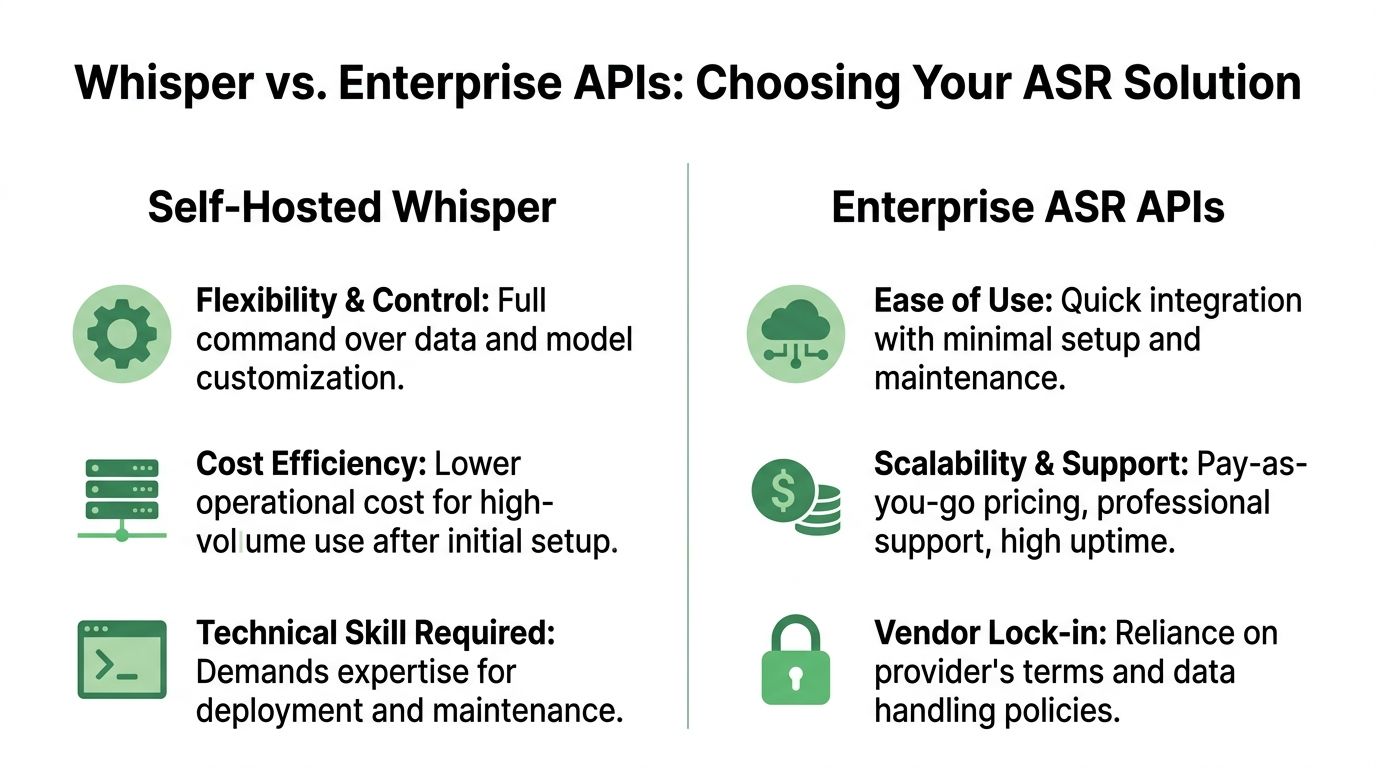
A good decision starts by separating model quality from system responsibility. Whisper may handle transcription well enough for your use case. That still leaves questions about uptime, queuing, observability, access controls, compliance, redaction, throughput, and support.
For a side-by-side view of this tradeoff, this comparison of open-source Whisper vs API speech-to-text options provides a useful framing.
Decision Matrix Self-Hosted Whisper vs Enterprise Speech-to-Text API
| Factor | Self-Hosted Whisper | Enterprise API (e.g., Vatis Tech) |
|---|---|---|
| Control over deployment | Highest control. Your team decides infrastructure, runtime, storage, and model orchestration. | Lower infrastructure control. The provider manages the serving layer. |
| Customization | Strong for teams that can fine-tune, post-process, and build custom pipelines. | Often strong at the feature layer, but bounded by provider capabilities and roadmap. |
| Speed to first prototype | Good if your team is comfortable with ML tooling. | Usually fastest for product teams that want working integrations quickly. |
| Operational burden | Your team owns scaling, monitoring, retries, fallbacks, and maintenance. | Provider handles most infrastructure and service operations. |
| Security review | Fully in your hands. Good for teams that need tight environment control. | Depends on provider posture, contracts, deployment options, and governance requirements. |
| Compliance workflows | You can design them, but you have to build them. | Often easier if the provider already supports enterprise requirements. |
| Feature completeness | Core transcription is available, but surrounding features may require more engineering. | Often includes extras like streaming, redaction, diarization, and analytics-ready outputs. |
| Reliability expectations | Strong if your platform team is mature. Risky if speech is new to your stack. | Better fit when uptime, support, and predictable delivery matter. |
| Cost shape | Can be attractive at volume after setup, especially if you already run ML infrastructure. | Easier to forecast early. Costs track usage but may rise with scale. |
| Best fit | R&D, internal tools, experimentation, data-sensitive custom stacks. | Customer-facing apps, regulated workflows, fast-moving product teams, production rollouts. |
When self-hosted whisper makes sense
Self-hosting is a strong option when your team values control and can absorb the engineering load.
It usually fits these situations:
- You’re in prototype mode. You want to test transcription quality on your own audio before committing to a vendor.
- You already run ML infrastructure. GPUs, observability, job orchestration, and secure storage are familiar territory.
- You need custom behavior. Research teams and advanced platform groups often want more pipeline control than an API exposes.
- Your workload is internal. If failure is inconvenient rather than catastrophic, self-hosting can be a practical choice.
When an enterprise API is the safer decision
A managed API becomes more compelling when speech is tied to customer experience, regulatory obligations, or hard service expectations.
That’s usually the better path when:
- You need dependable production behavior. Not just a good model, but reliable throughput and support.
- You need enterprise controls. Security, privacy handling, access boundaries, and auditability matter.
- You want the surrounding features. Real-time pipelines, redaction, diarization, and analytics outputs often matter as much as transcription itself.
- Your team can’t spend a quarter building speech infrastructure. Product timelines rarely wait for platform maturity.
The build-vs-buy decision isn’t really about whether whisper is good. It’s about whether your team wants to own everything around whisper.
That’s the key decision rule. Choose self-hosted whisper when control is the priority and your team can support the full stack. Choose an enterprise API when reliability, governance, and speed to production matter more than owning every layer.
Frequently Asked Questions About Whisper
Can whisper run in real time
It can, but “real time” depends on your model size, hardware, batching strategy, and pipeline design. Teams often discover that transcript quality, latency, and infrastructure cost pull in different directions. If low latency is a product requirement, test streaming behavior early instead of assuming an offline setup will translate cleanly.
Should I fine-tune whisper for a specific domain
Sometimes, yes. If your audio includes recurring product names, legal phrases, medical terminology, or unusual speaker patterns, fine-tuning or domain-specific post-processing can help. But fine-tuning adds evaluation and maintenance work, so it’s usually worth trying prompt controls, vocabulary handling, and transcript cleanup rules before training your own variant.
Is whisper enough on its own for production use
For some internal tools, yes. For customer-facing or regulated systems, usually not by itself. Most production deployments need more than transcription: storage controls, retries, monitoring, segmentation logic, speaker handling, QA workflows, and review tools.
What’s the best way to evaluate whisper before rollout
Use your own audio and define success in business terms, not just model terms. A good test set should include difficult recordings, domain terminology, multiple accents, and edge cases like silence or interruptions. Then review outputs with the people who will depend on them, such as support leads, editors, researchers, or compliance reviewers.
If your team is deciding whether to prototype with whisper or move straight to a production-ready speech stack, Vatis Tech is worth evaluating. It gives developers and operations teams a faster path to high-accuracy transcription, real-time workflows, editable transcripts, and enterprise controls without having to build the full speech platform around an open-source model themselves.